
Plan a big order across the fleet
Turn an order with ship dates into a day-by-day printer plan, then feed the queue from it.
-
Add the order
Orders → New order: the customer, the designs (line items) with quantities, and one or more ship dates.
-
Attach design files
Each design holds its print file, colors from inventory and print settings, so the plan knows plate times and pieces per plate.
-
Read the plan
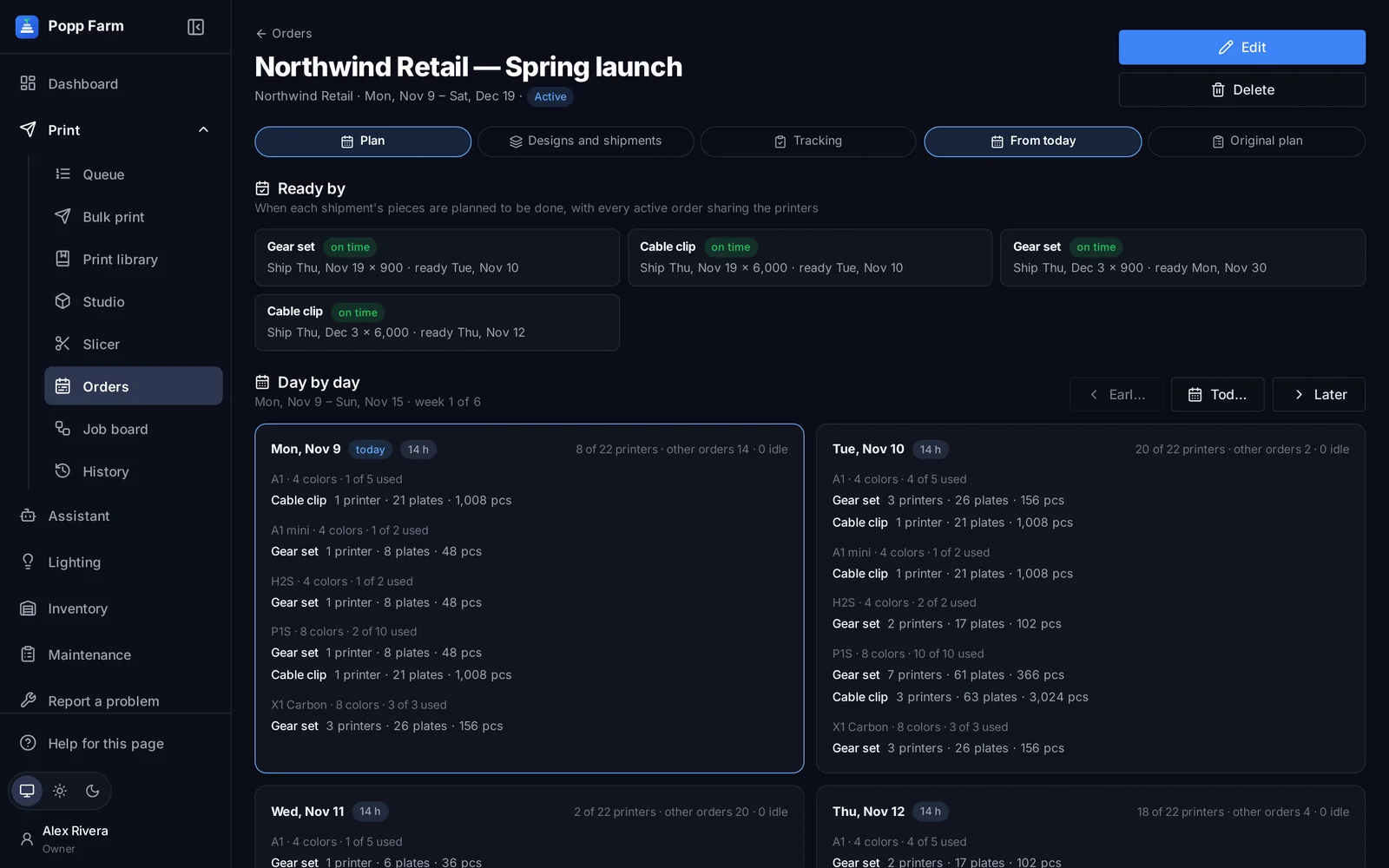
The plan uses the printer groups you really have — models and loaded colors — and the work already on them, and shows whether each ship date can be met.
-
Send to the queue
Send to queue adds the pieces still to print as queue jobs, with the order’s shipments as phases. People still send each plate.
Every screen in this guide has a full article in the Help centre inside Popp Farm.
More guides
Getting started with Popp Farm
Create your workspace, connect your Bambu Lab account, invite your team and send your first plate.
Read →Keep every printer busy with the Smart Queue
Add jobs once, let the queue match them to printers with the right colors, and send the next plate the moment one comes off.
Read →Multi-color printing across a mixed fleet
Color single parts in Studio, map every color to an AMS slot, and slice the same project for any Bambu Lab model.
Read →Put your whole farm on one screen
Start free with up to 3 printers, or try any paid plan free for 14 days. Connect your Bambu Lab account and your printers appear in minutes.
No install · No LAN setup · Nothing prints until a person says the plate is clear