
Everything about one printer, one tap away
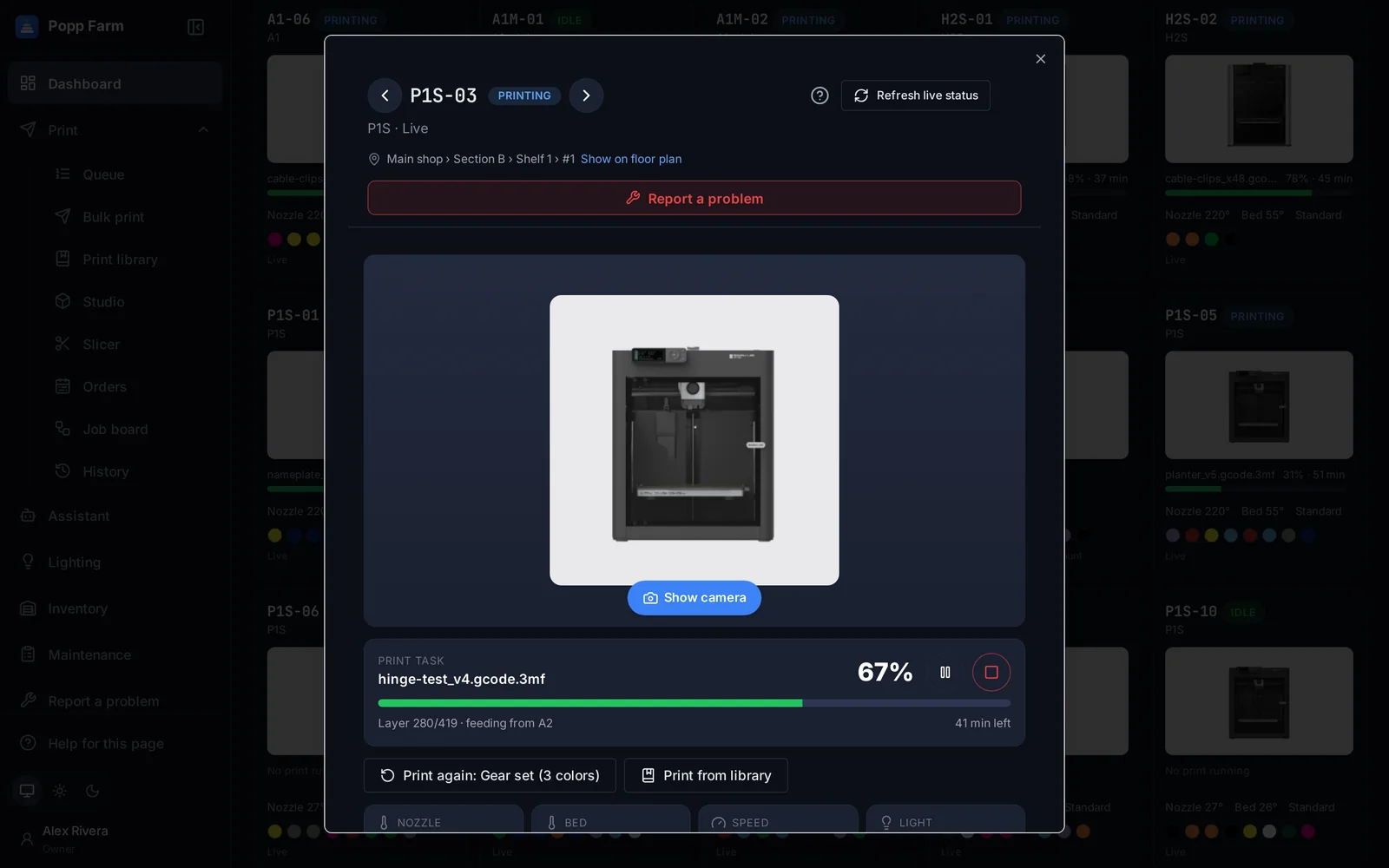
Each printer has a window with its live camera, job, controls, AMS slots and where it stands on your floor. People with the right can pause, stop, change temperatures or calibrate, and every action is logged.
See it without walking over
A live camera through Bambu Lab’s cloud, opened from the printer window.
Controls with permissions
Only people with the right see each control, and every use is written to a log.
A QR code on every printer
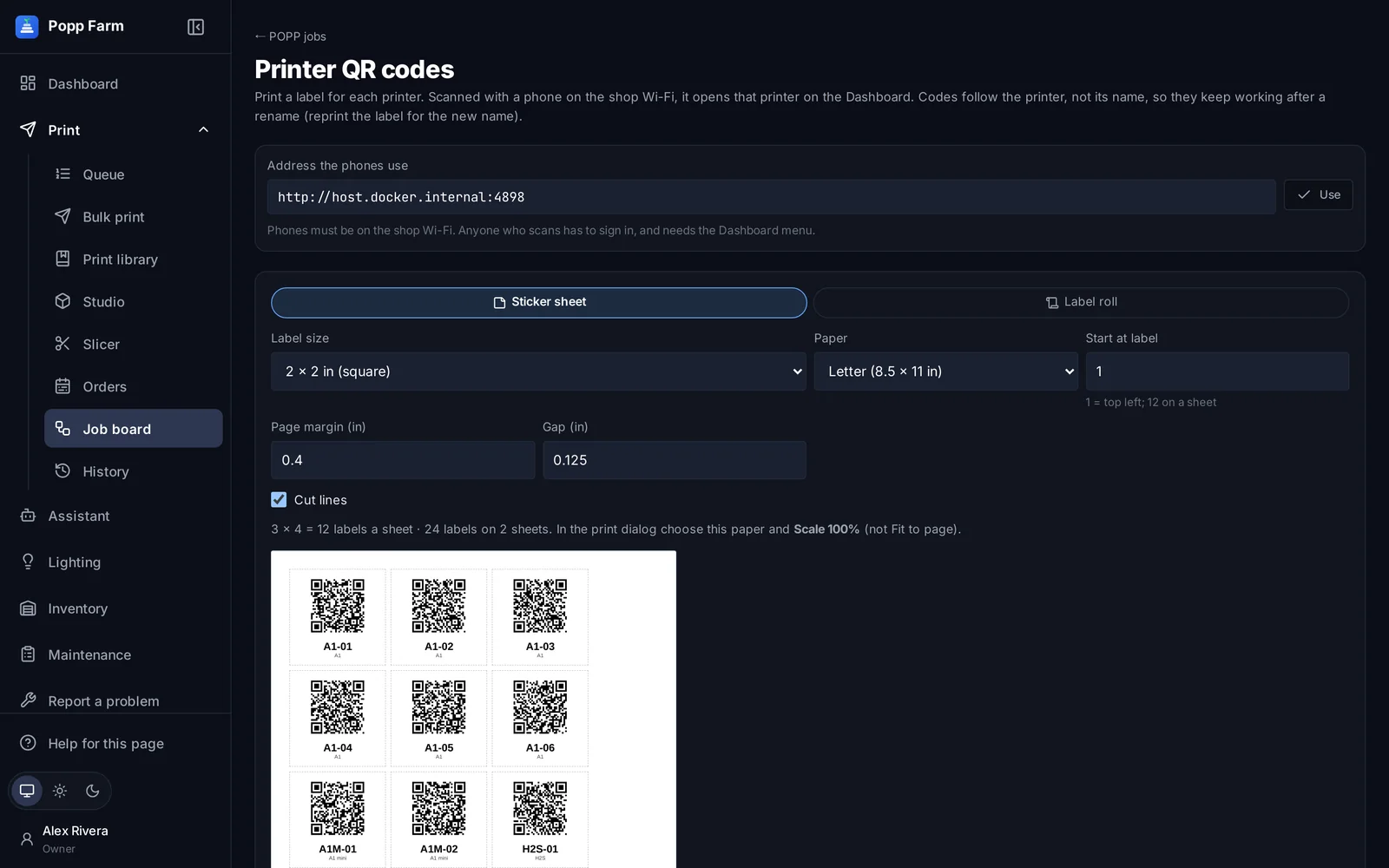
Print a sticker sheet or a label roll. A scan opens that printer’s window on a phone.
The printer window
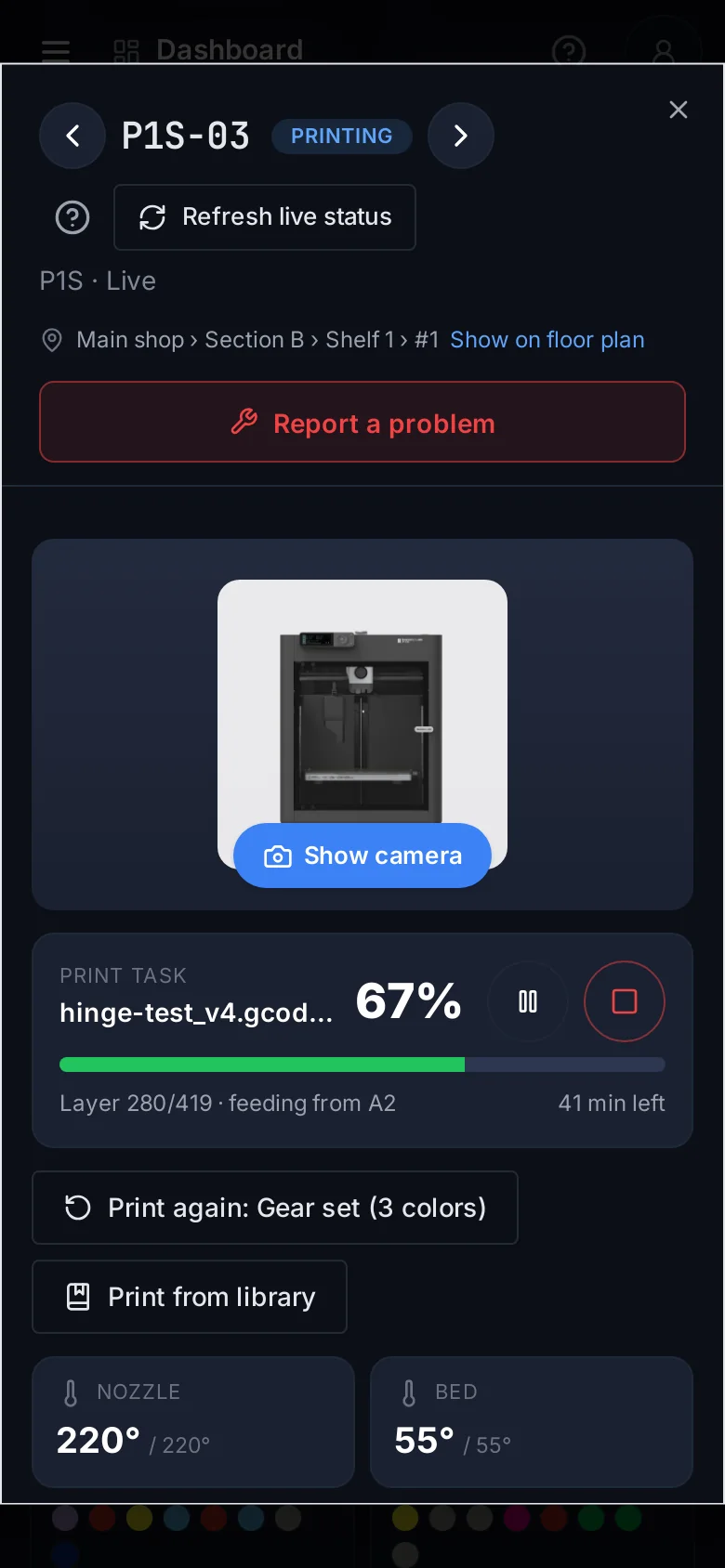
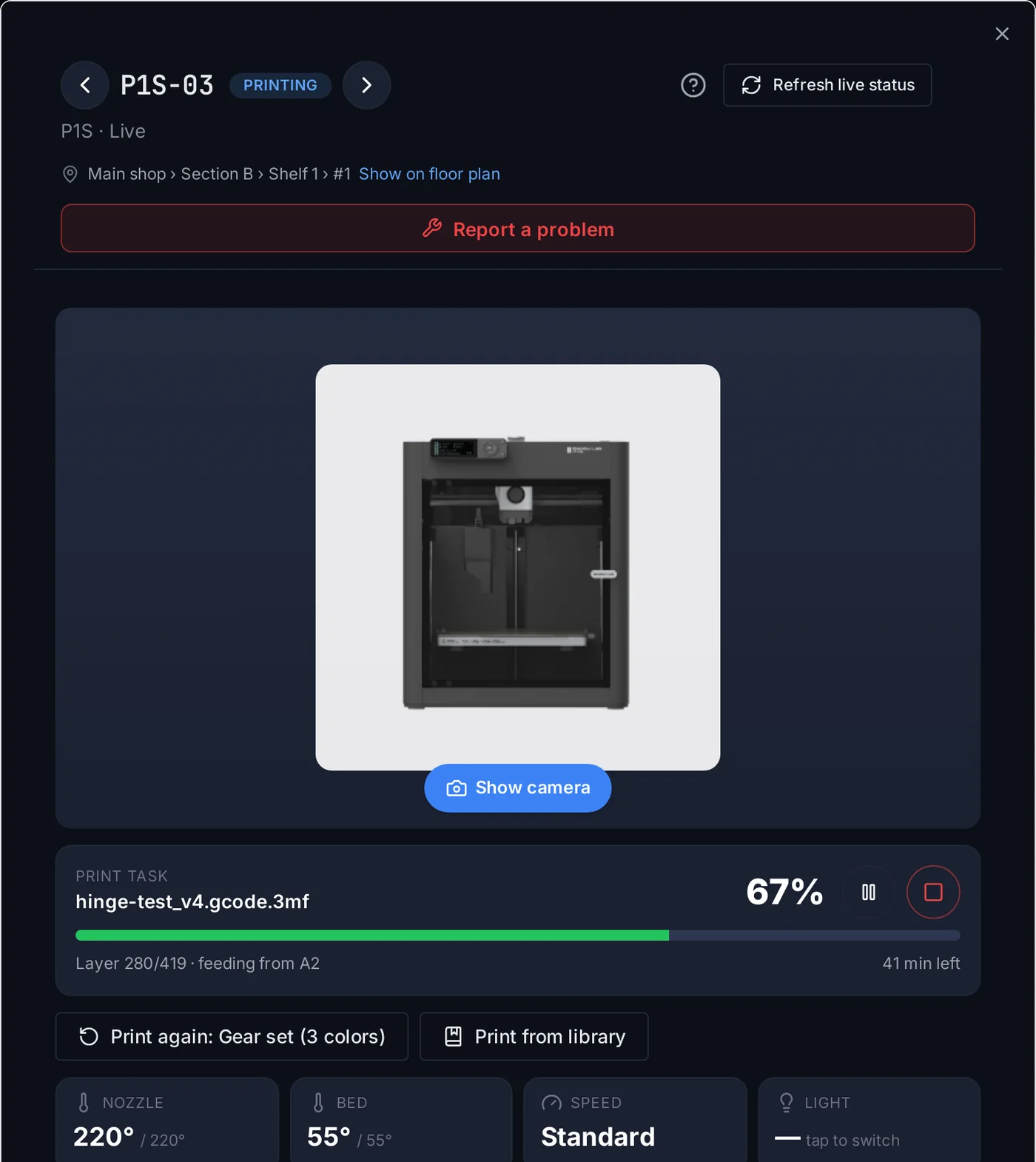
Tap any card for the job, progress and time left, the camera, temperatures and speed, the AMS slots and what is in them, and where the printer stands on your floor plan.
Print again
Reprint the last job with its colors in one tap.
Print from library
Send a saved file to this printer after the plate check.
Report a problem
Flag it for repair from the same window.
Show on floor plan
Section, shelf and place, highlighted on the plan.
Calibration, firmware and fleet settings
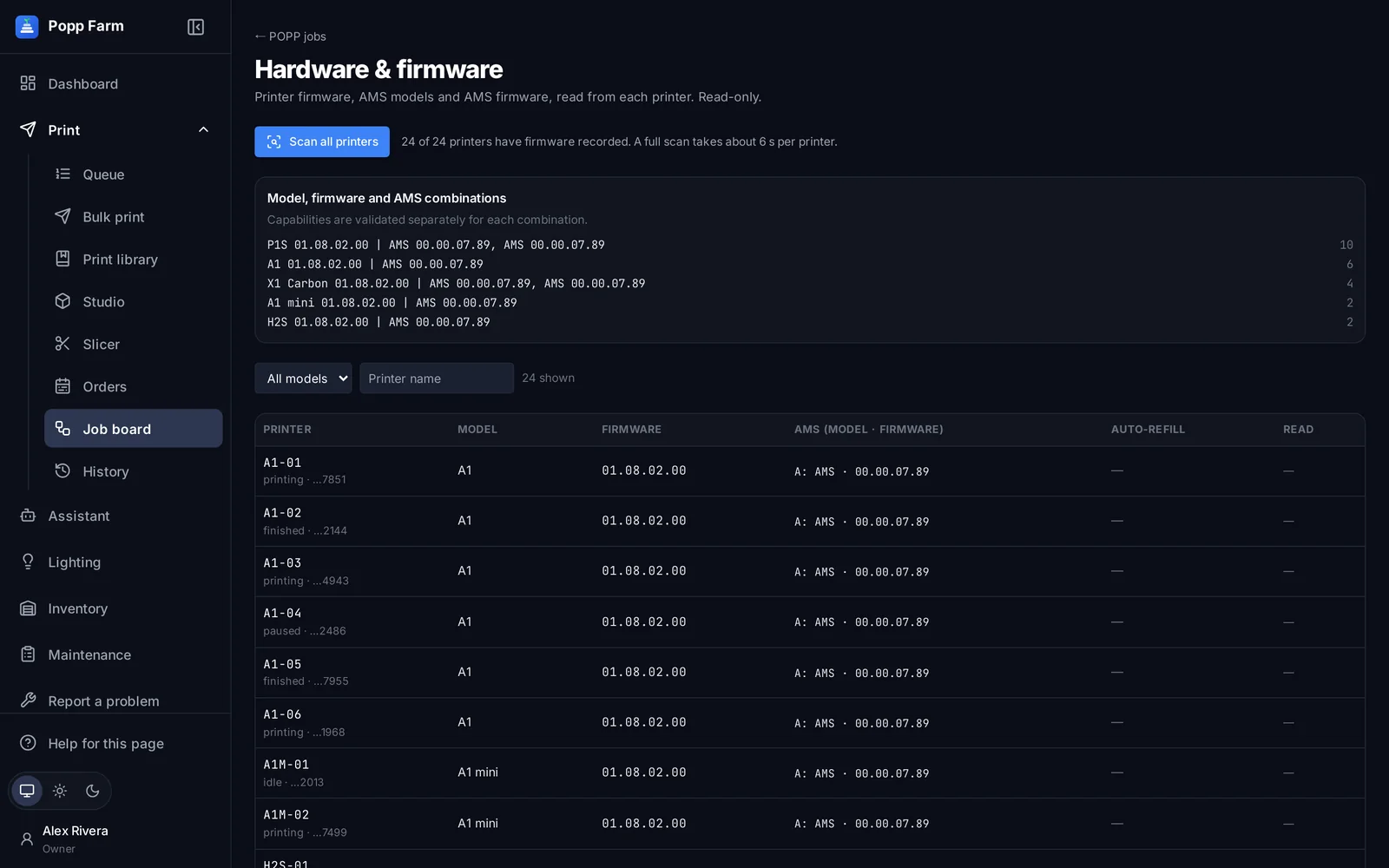
Run Bambu Lab’s calibration on one printer or many at once. See every printer and AMS firmware version grouped by setup. Set Auto-Refill for the whole fleet in one place.
QR codes for the shop floor
Print a label for every printer on sticker sheets or a label roll. A code follows the printer, not its name, so it keeps working after a rename.
Remote controls
Pause, resume, stop, speed, light, nozzle and bed temperatures, extrude and retract, re-read an AMS slot’s RFID, and a move pad when the camera is on and the printer is idle. Popp Farm never presses these by itself.
- Each control is its own right in your team settings
- Every use is written to the activity log
- Moves only when the printer is idle, with Home first
What cameras and controls can do
Live camera
Through Bambu Lab’s cloud, up to four at once.
Pause, resume, stop
For people with the right, all logged.
Temperatures, speed, light
Nozzle and bed targets, speed mode, chamber light.
Move pad
Home and X/Y/Z moves with the camera on.
RFID re-read
Re-read one AMS slot’s spool.
Calibration
Bambu Lab’s calibration on one or many printers.
Hardware and firmware
Model, printer and AMS firmware, recorded automatically.
Fleet-wide Auto-Refill
Set the printers’ own Auto-Refill in one place.
QR codes
Sticker sheets or label rolls; a scan opens the printer.
Can Popp Farm resume a printer by itself after an error?
No. Pause, resume and stop are for people. Popp Farm reports errors and shows the reason; a person decides what to do.
Does the camera need LAN mode?
No. It streams through Bambu Lab’s cloud, like Bambu Studio’s camera view.
Works well with
Put your whole farm on one screen
Start free with up to 3 printers, or try any paid plan free for 14 days. Connect your Bambu Lab account and your printers appear in minutes.
No install · No LAN setup · Nothing prints until a person says the plate is clear