
Know where every printer is, and see it from across the room
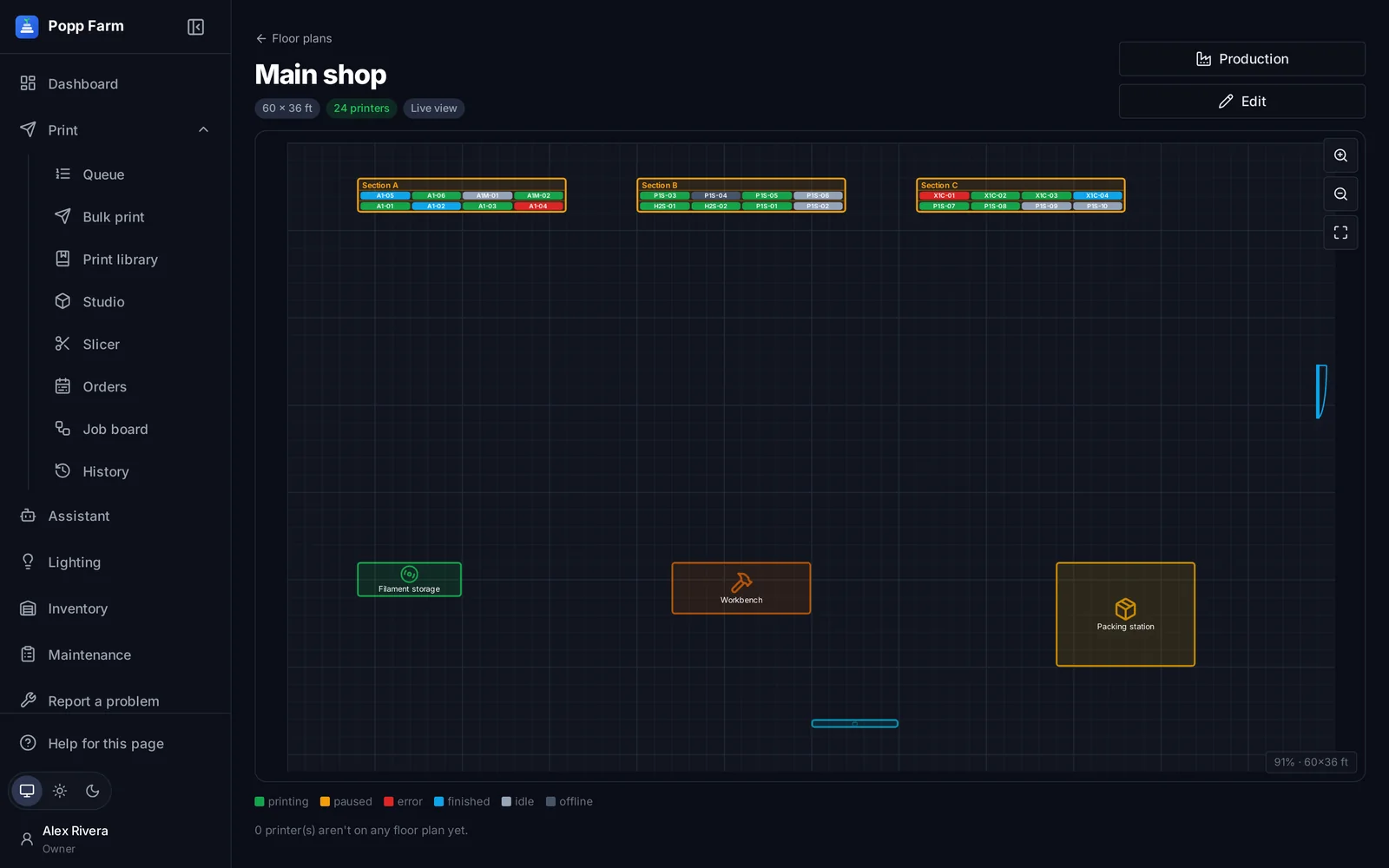
Draw your shop: rooms, shelving sections, shelves and places, doors, desks and packing stations. Every printer gets a home that shows in its window and on the dashboard. Add LED strips and the shelves glow with each printer’s status.
Find it fast
“Section B › Shelf 1 › #3” on every printer, with Show on floor plan.
Status you can see
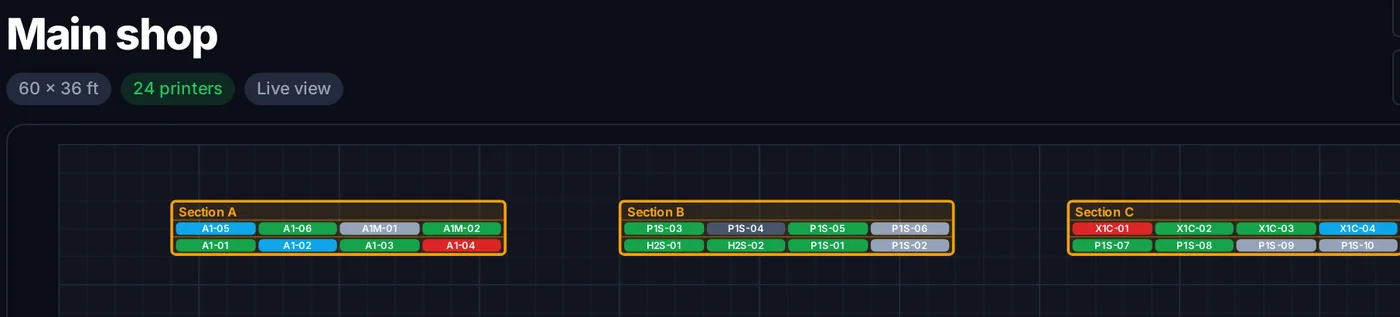
WLED shelf lights color each printer’s place by what it is doing.
Plan production visually
Assign printers to order designs, day by day, right on the plan.
Live view
Every printer on the plan in its status color. Zoom, pan, and tap a printer to open its window.
Production view
Assign printers to the designs of your active orders for each day, or let Popp Farm suggest a layout that keeps a design’s printers together. It is a plan for people: nothing is sent.
Shelf lighting
Connect WLED controllers and map each shelf’s strip. Each printer’s place lights up by status, and Locate flashes one printer so anyone can find it.
- Any WLED-compatible strip and controller
- Status colors you choose
- Printers in repair shown in their own color
What floor plan and lighting can do
Rooms, sections, shelves, places
Draw the shop to scale.
Doors, desks and assets
Packing stations, filament storage, TVs.
Location on every printer
In its window, with Show on floor plan.
Live view
Printers colored by status.
Production view
Printers assigned to order designs per day.
WLED shelf lights
Each printer’s place lit by status.
Optional hardwareLocate
Flash one printer’s light.
Optional hardwareDo I need special lights?
Lighting is optional. Any WLED-compatible LED strip and controller works.
Works well with
Put your whole farm on one screen
Start free with up to 3 printers, or try any paid plan free for 14 days. Connect your Bambu Lab account and your printers appear in minutes.
No install · No LAN setup · Nothing prints until a person says the plate is clear