
Every printer. Every plate. One screen.
Popp Farm turns a room full of Bambu Lab printers into one production line: live status, a queue that matches jobs to loaded colors, a browser slicer, order planning, stock and maintenance.
Free for up to 3 printers 14-day trial on paid plans No install or LAN setup
Works with every Bambu Lab printer on your account
Ten printers fit in your head. Fifty don’t.
Popp Farm does the remembering, matching and planning, so your team spends its time clearing plates instead of hunting for the next job.
Less time standing still
Finished plates, run-outs and errors show up the moment they happen, with the printer’s shelf and the reason. Response times show where the waits are.
No more wrong-color prints
Every job is matched to printers with the exact filament loaded, slot by slot, before anyone can press Send.
Ship dates you can keep
Orders are planned across the printers you really have, and each shipment shows On track, At risk or Late.
One app for the whole operation
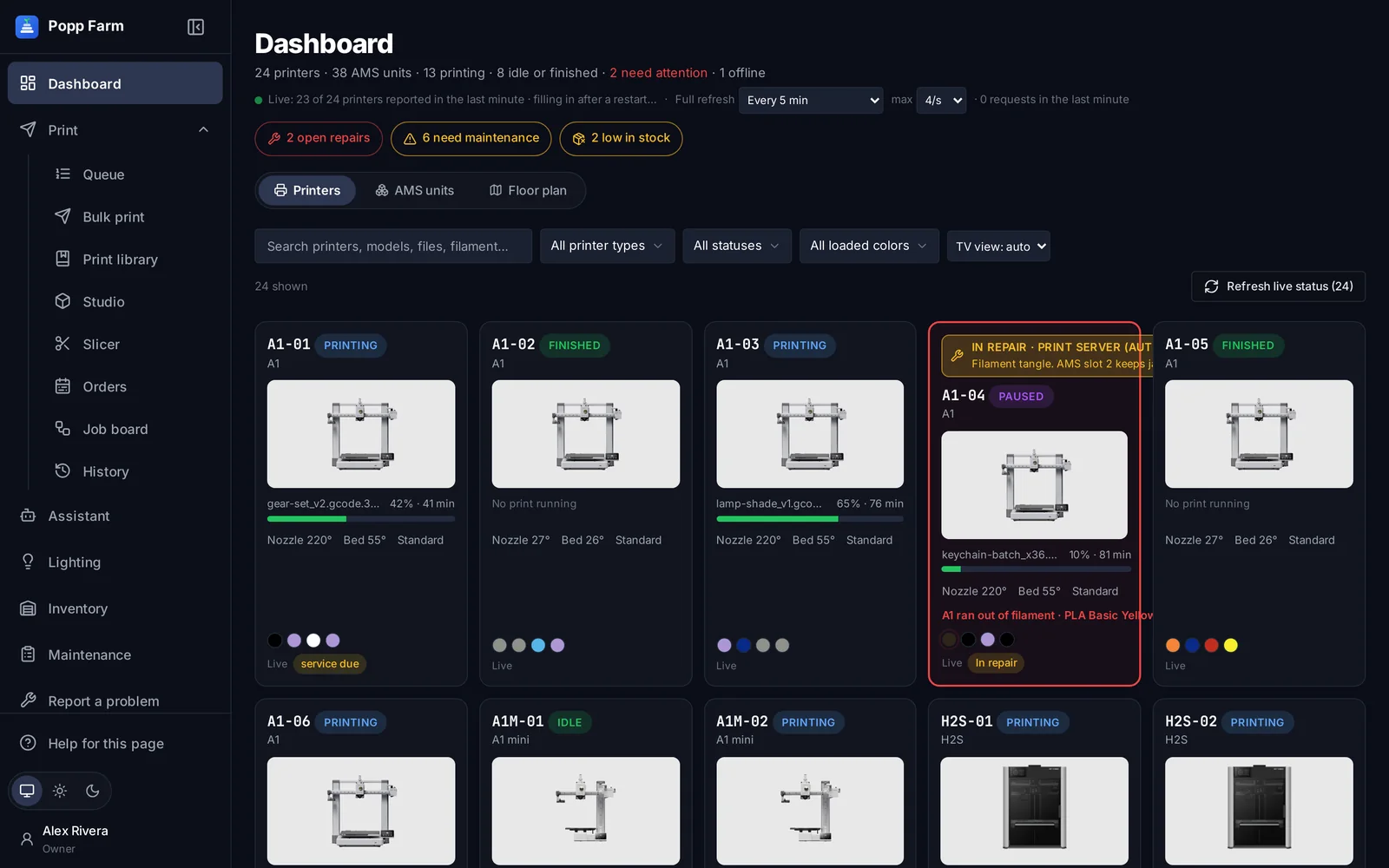
Every screen below is Popp Farm running a demo farm of 24 printers.
See every printer at once
Live cards for the whole fleet with jobs, progress, temperatures and the colors in every AMS. What needs a person sits at the top.
Explore dashboardKeep every printer fed
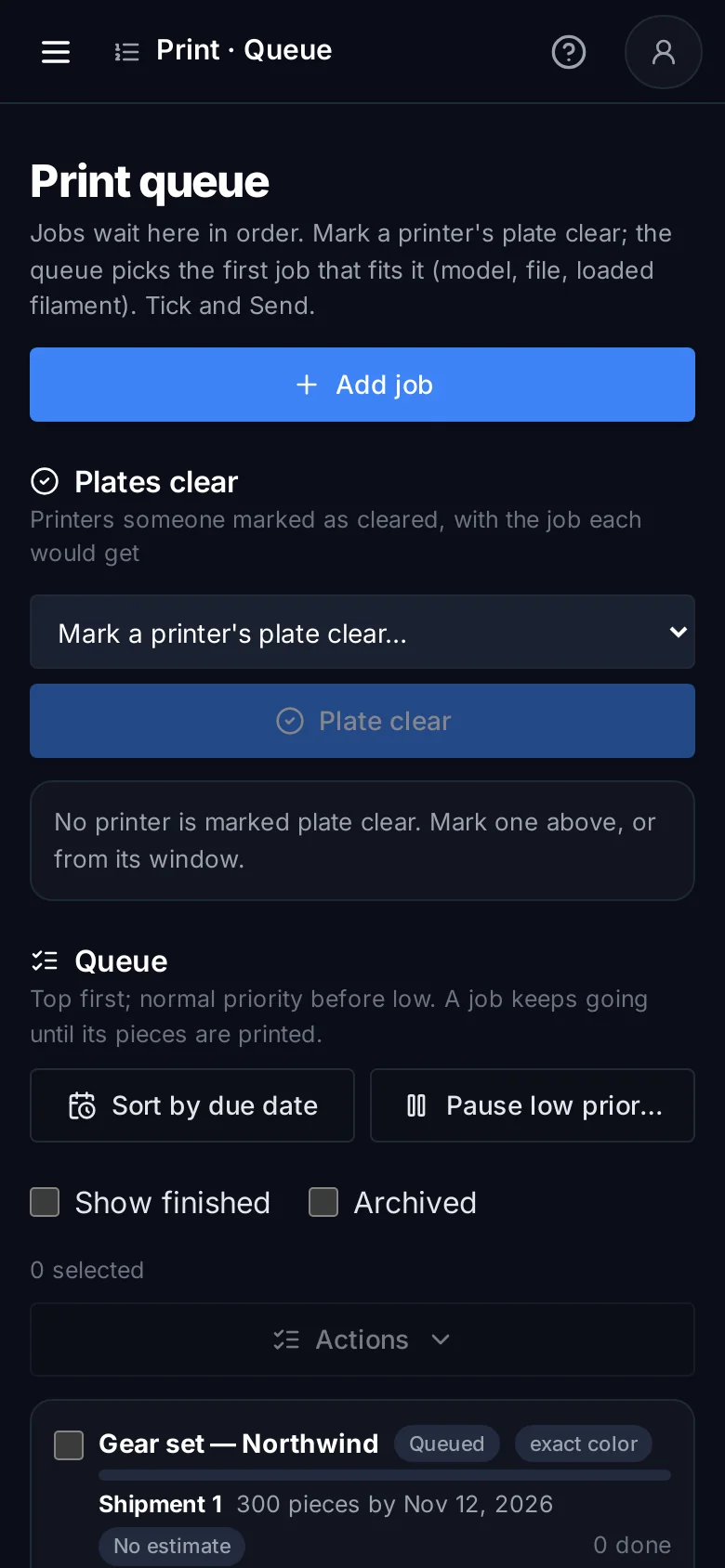
Mark a plate clear and the queue offers the job that fits that printer’s model and loaded colors. Tap Send.
Explore print queue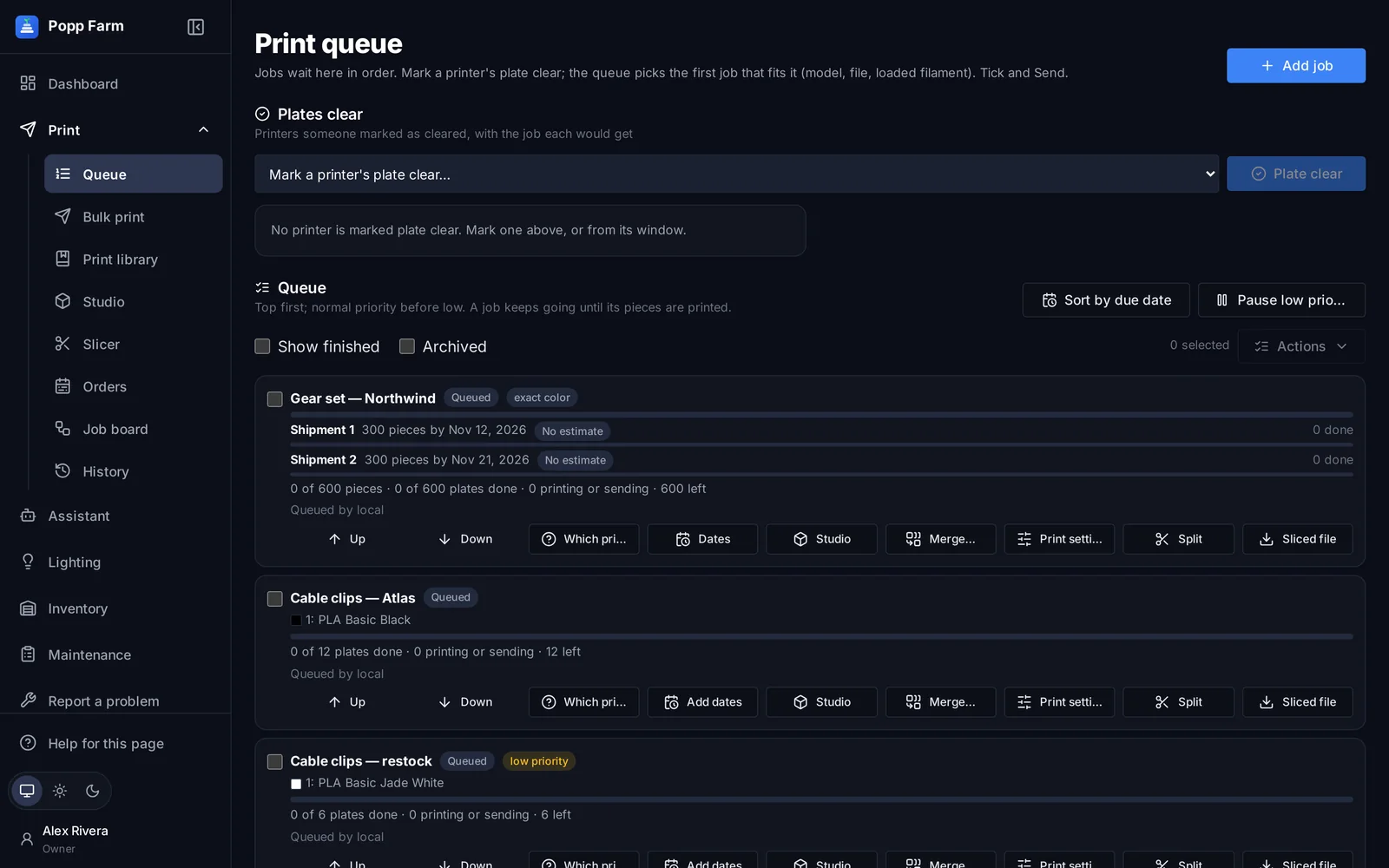
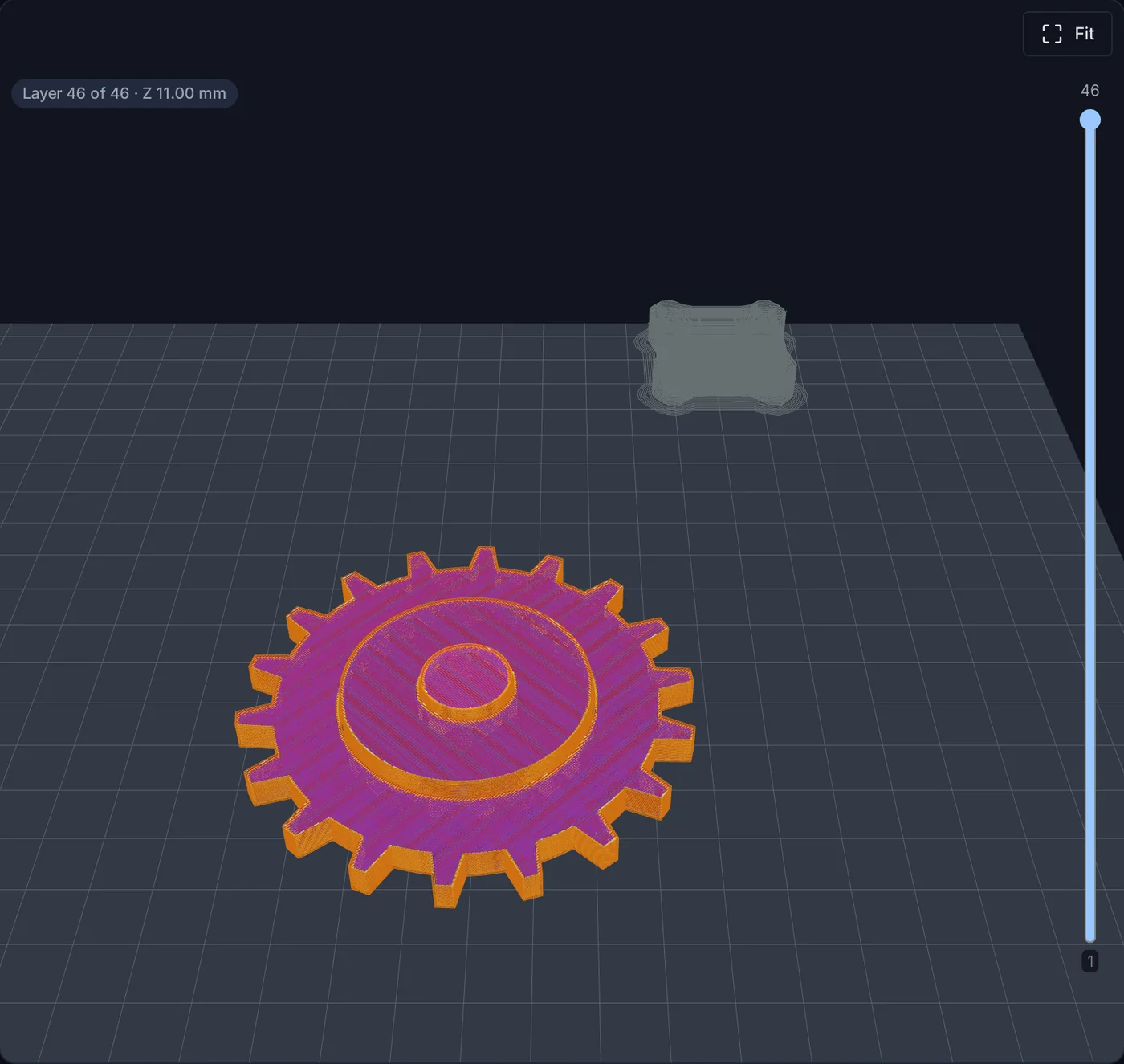
Slice in the browser
Arrange plates, color parts, change any Bambu Studio setting and preview every layer, then print or queue it.
Explore studio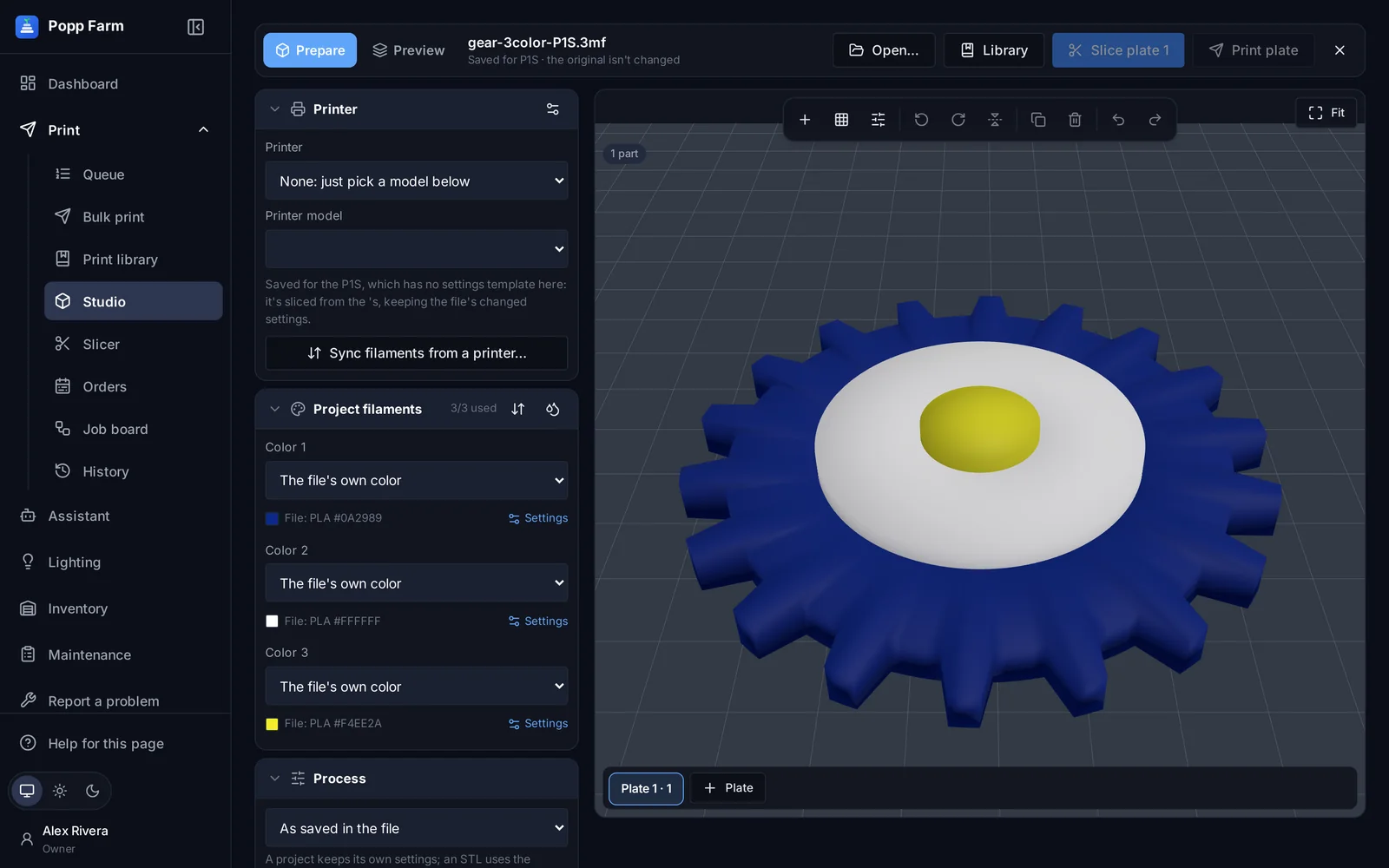
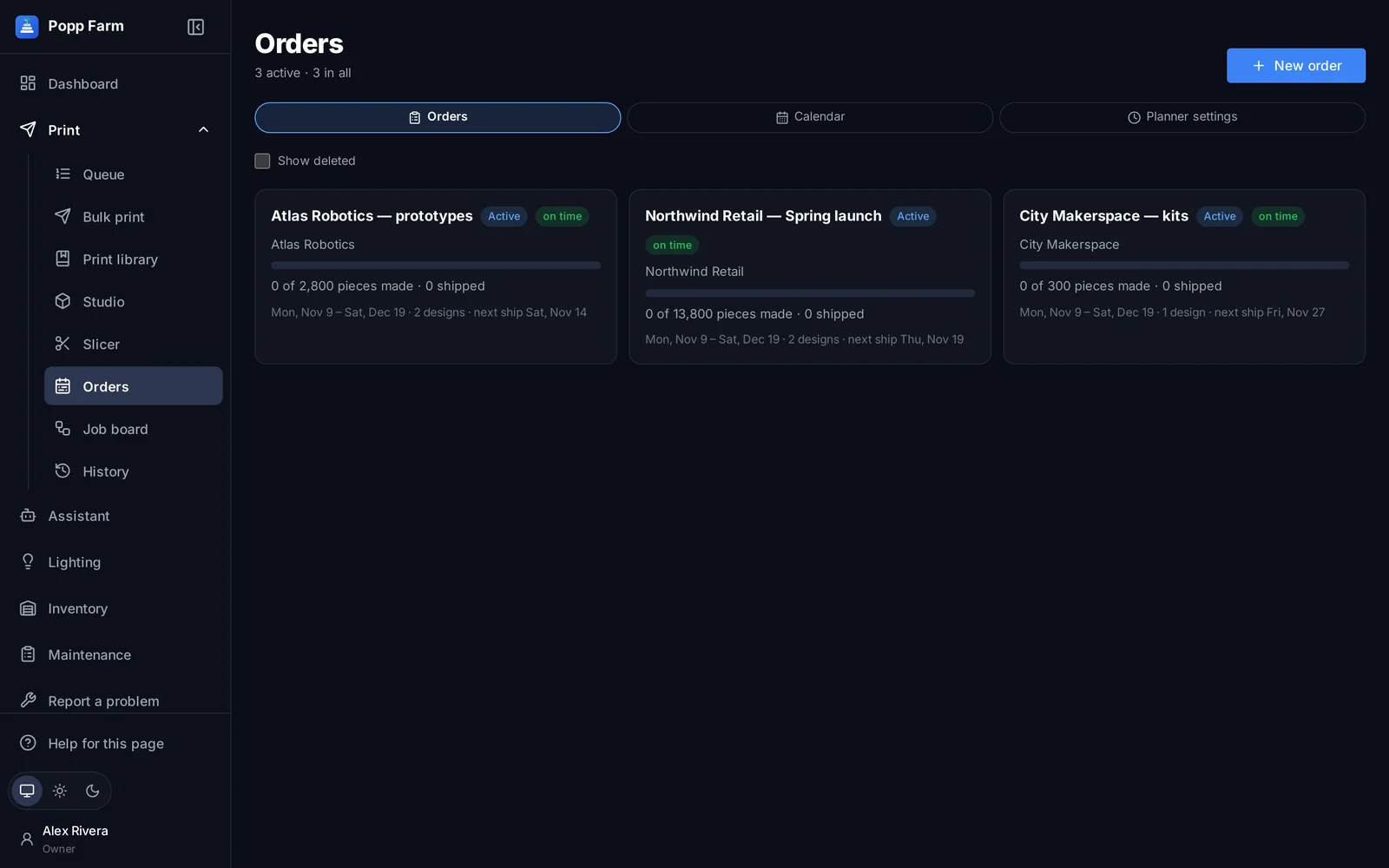
Plan the work, ship on time
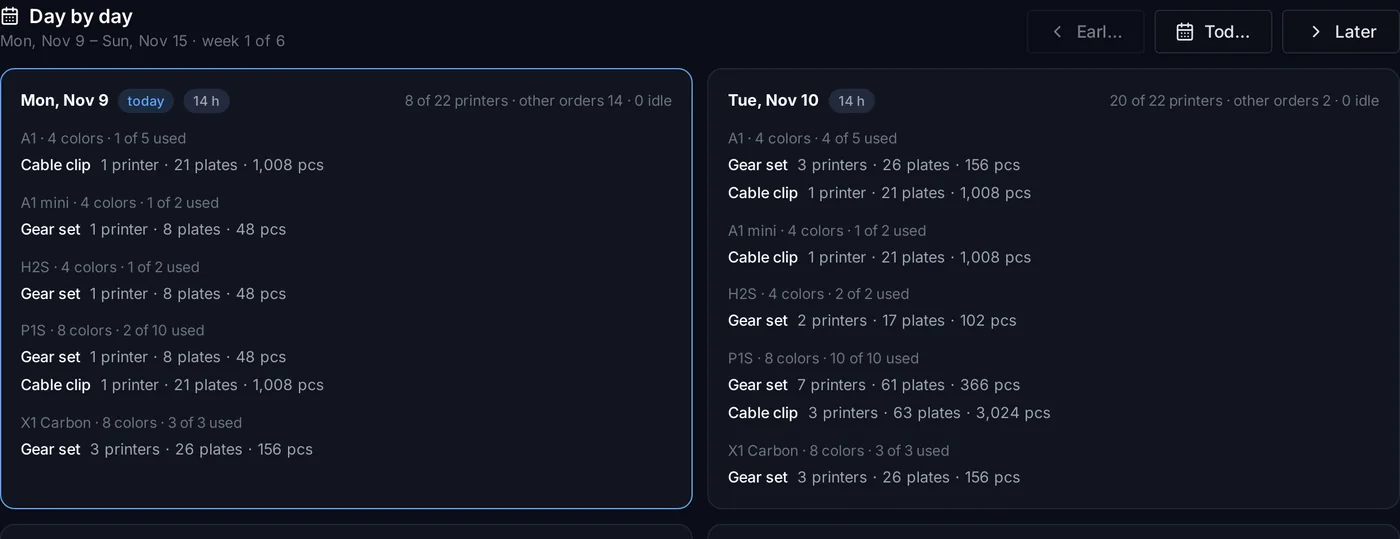
A day-by-day plan across your real printers, with a ready-by date for every shipment.
Explore orders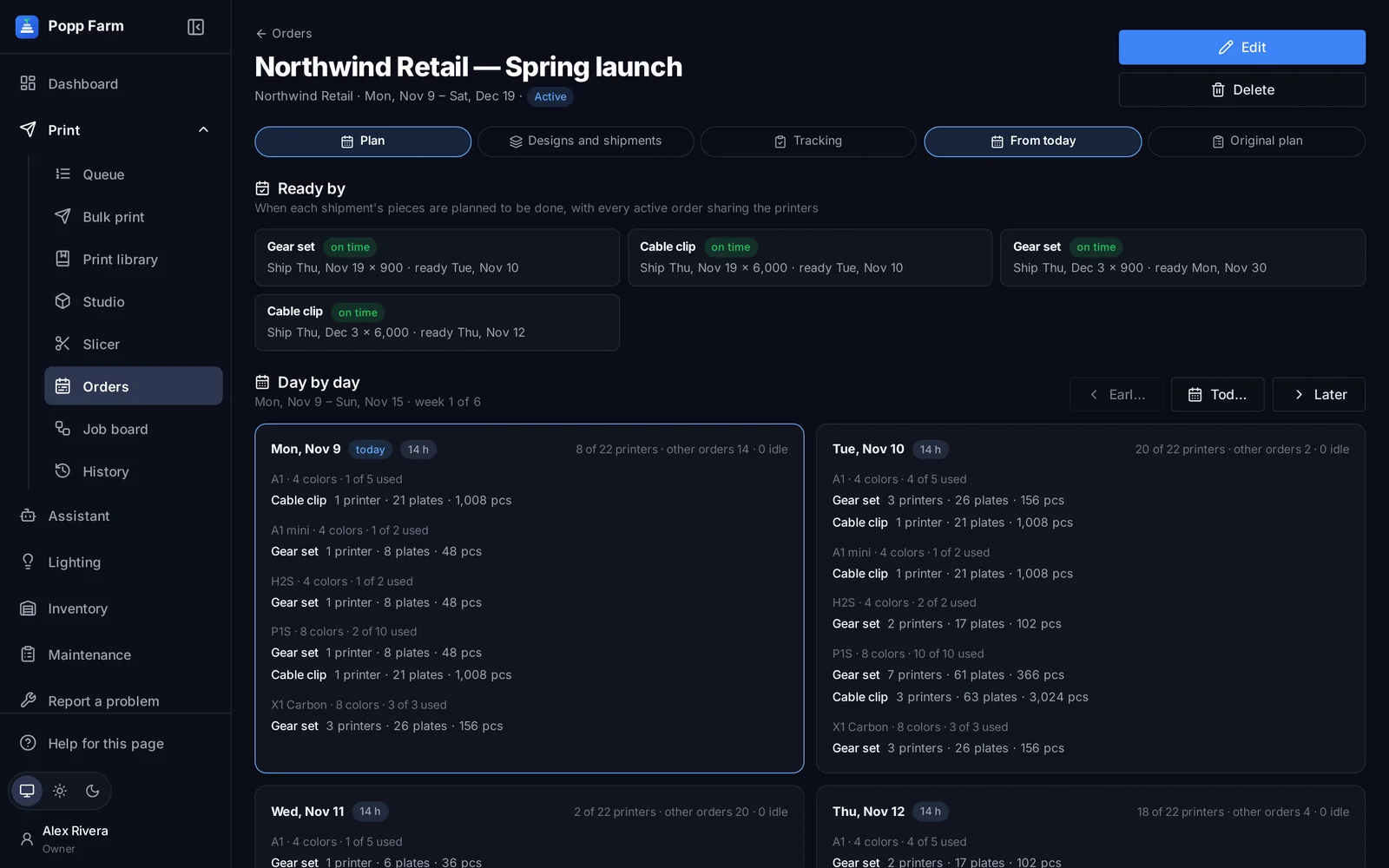
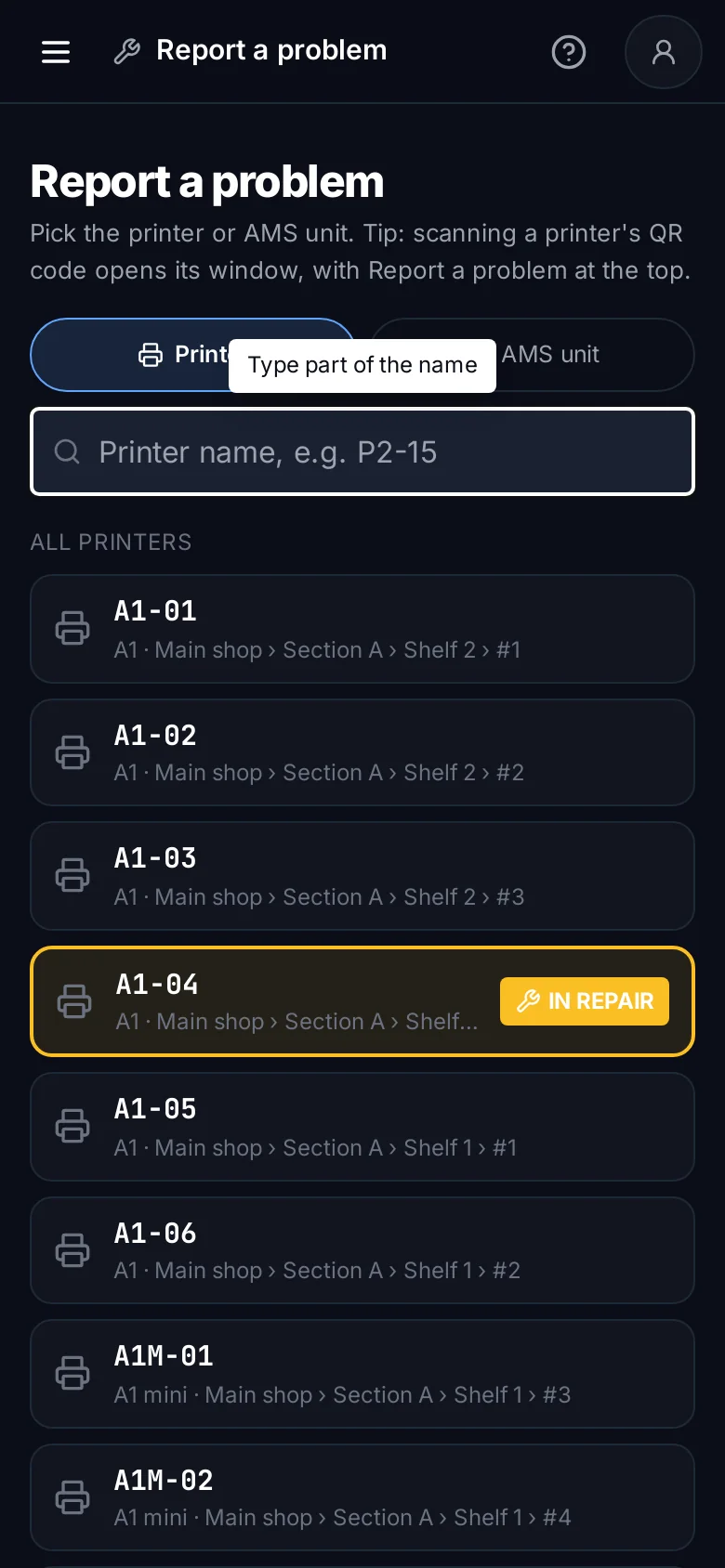
Fix printers faster
Problems reported from a QR scan, repairs tracked to closed, and service dates for every printer and AMS.
Explore maintenance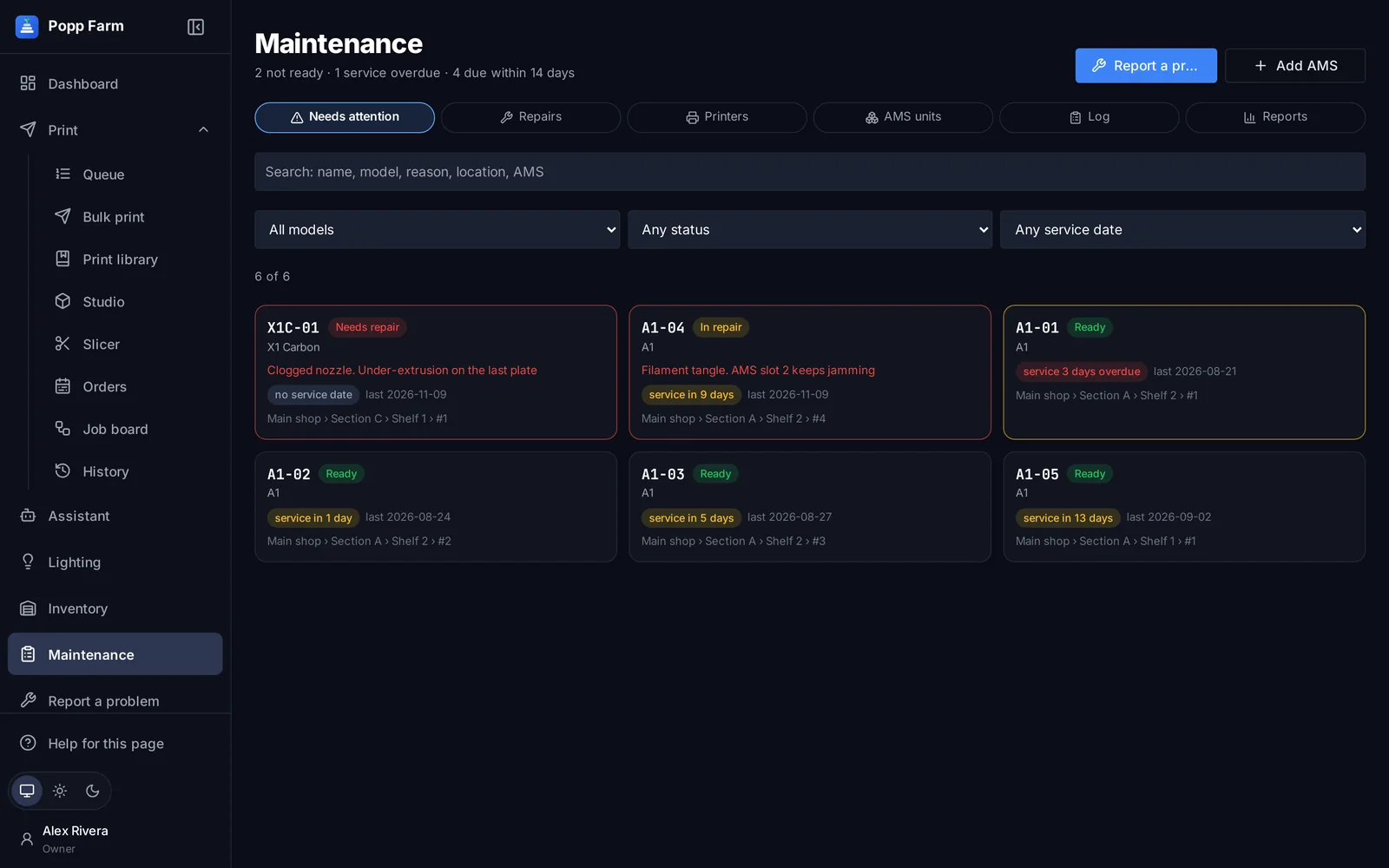
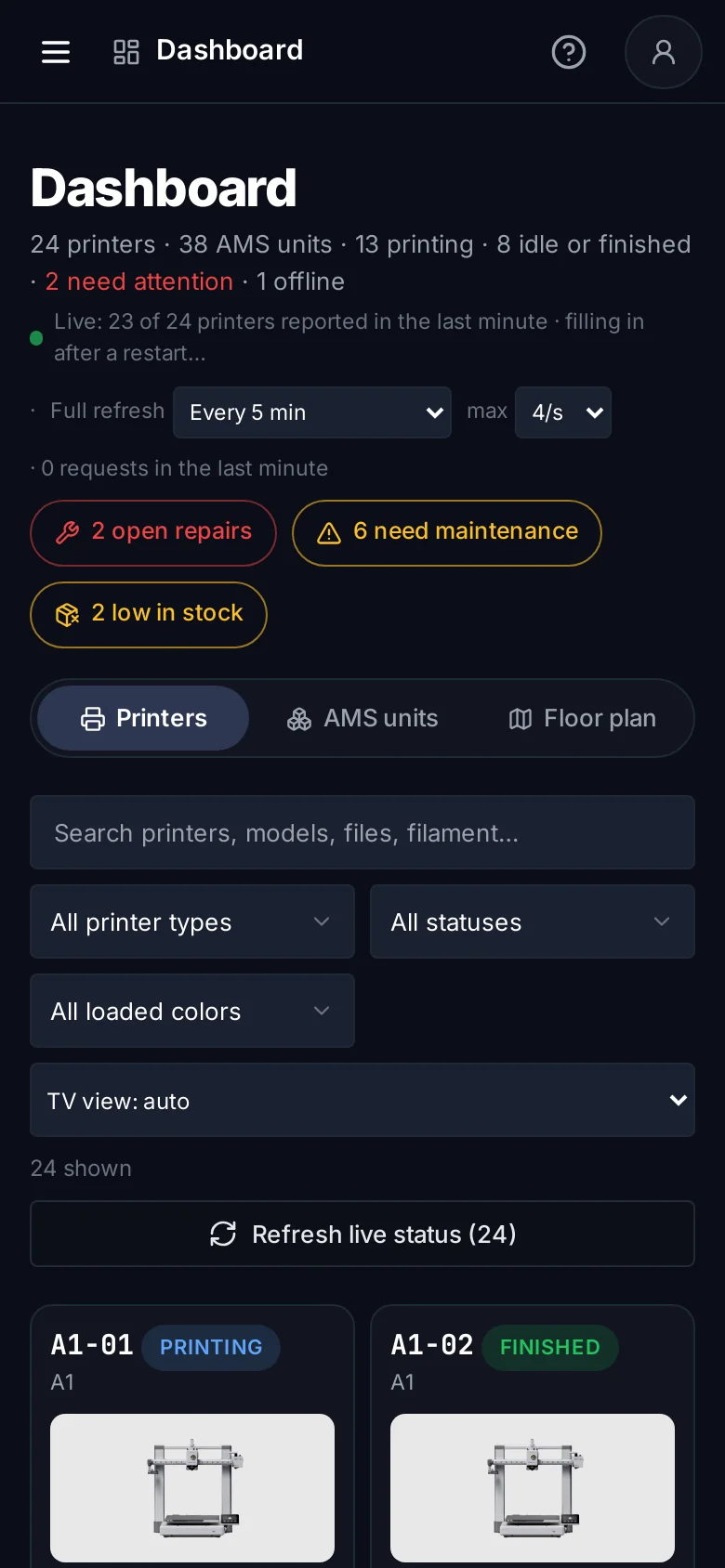
Know what every printer is doing without walking the rows
Status, progress, temperatures and the spools in every AMS slot, refreshed from your Bambu Lab account. Run-outs and errors turn red with the reason, so the right person goes to the right printer.
Cloud connection
Through your Bambu Lab account. No LAN mode, Developer Mode or open ports.
Filters and search
By model, status and loaded color, across printers, files and filament.
Printers, AMS or floor plan
Switch between printer cards, every AMS unit, or your shelves.
You set the refresh
Live reports while printing plus a full refresh on the schedule you choose.
A queue that matches jobs to loaded colors
Jobs wait in order, in pieces or plates. When a plate comes off, the queue offers the job that printer can take, with the AMS slot for each color. Due dates and shipments show what is at risk before it slips.
Priority
Up, down, top or bottom; pause low-priority work.
Printer tags
Keep jobs on “PETG only” or a room’s printers.
Split and merge
Split a job, or merge compatible plates.
Any color of a material
Sliced per printer with the spools it has loaded.
Bambu Studio’s settings, in any browser
Open a project, arrange plates, color single parts and change any process, filament or printer setting. Studio slices with Bambu Lab’s own engine and shows every layer, from a laptop, tablet or phone.
Your printers
Pick a farm printer; its AMS slots become the project’s colors.
Color single parts
Select an object’s parts and color them one by one.
Plates and Arrange
By real outline, with spacing and turning to fit.
Settings at any scope
Plate, object or a band of its height.
Plan big orders across the whole fleet
Designs and ship dates in, a day-by-day production plan out. It is built from the printers you really have and the work already on them, and it re-plans as production is recorded.
Calendar
Every ship date in one view.
Tracking
Made, packed and shipped per shipment.
Production on the floor plan
Assign printers to designs per day.
Slack updates
Shipment updates and a daily reminder.
Built for the whole farm, not just the printers
Cameras, shelves, stock, repairs, records and people: the parts of running a farm that usually live in spreadsheets and group chats.
Cameras and controls
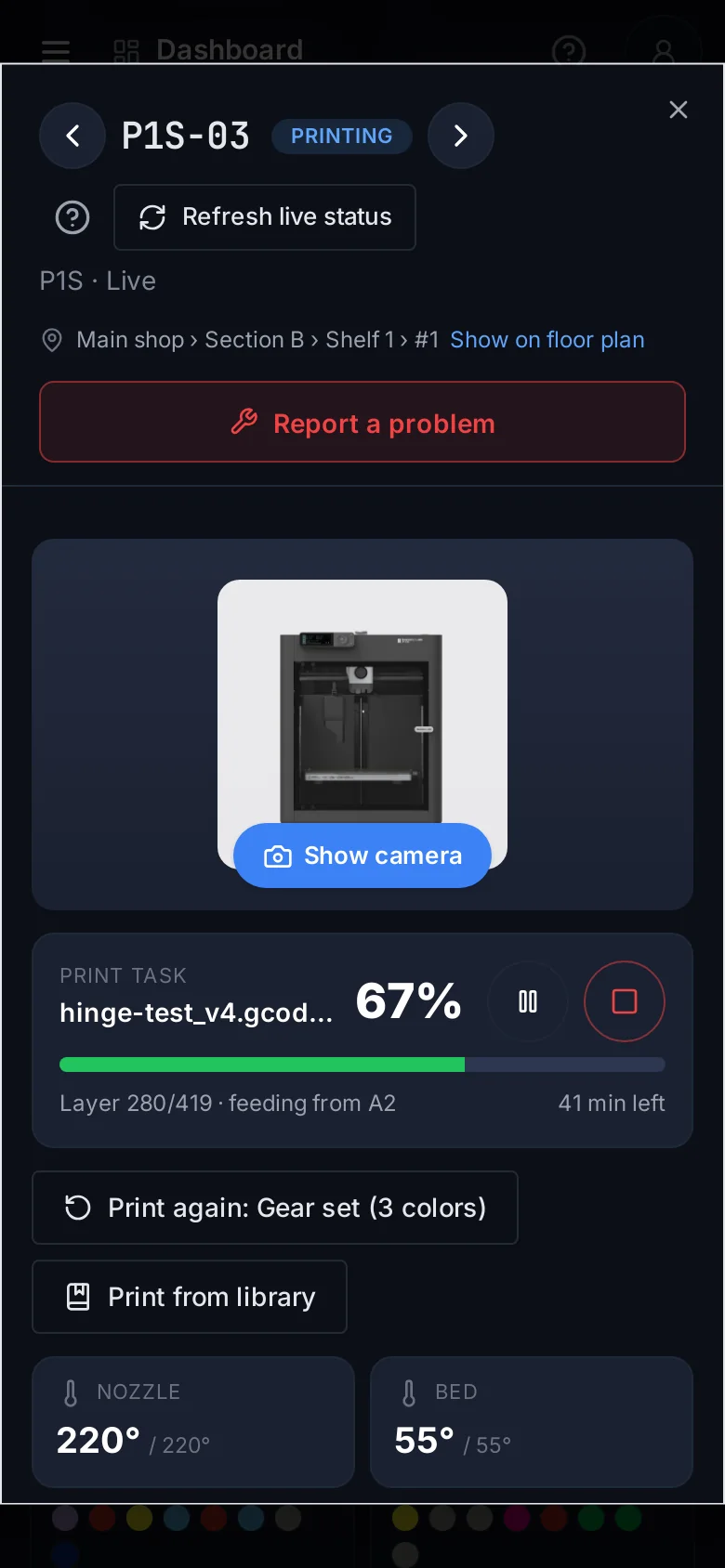
Live cameras, temperatures, pause and stop, calibration and QR codes for every printer.
Learn moreFloor plan and lighting
Map every printer to its shelf, and light the shelves by printer status.
Learn moreBulk print and library
Upload once, check every printer, send to many, and keep your best files ready.
Learn moreInventory
Filament, spare parts and packaging, with low-stock alerts and where spools are loaded.
Learn moreMaintenance and repairs
Report a problem from a QR scan, track repairs and parts, never miss service.
Learn morePrint history
Every print from every source, recorded automatically, with exports.
Learn moreTeam and permissions
Invite your team with roles and fine-grained rights, two-step sign-in and an activity log.
Learn moreAI assistant
Ask about your farm in plain words, or connect Claude to it. Read-only.
Learn moreFrom order to finished plate
Each step hands its work to the next, so nothing is typed twice and nothing gets lost between a spreadsheet and the printer.
Order in
Designs, quantities and ship dates.
Planned
Day by day across your printers.
Queued
Plates matched to loaded colors.
Plate clear, send
A person confirms and taps Send.
Recorded
Every print, whatever sent it.
Made by people who clear plates every day
Popp Farm started as the tool behind Popp Chains, a production farm running more than 180 Bambu Lab printers. Every feature exists because the floor needed it: the run-out that sat for an hour, the order that needed 40 printers by Friday, the spool nobody could find.
- Used every day on a real fleet, not a demo
- Slices with a pinned, regression-tested Bambu Studio engine
- Nothing prints until a person says the plate is clear
- Your own workspace, two-step sign-in and nightly backups
Which printers does Popp Farm work with?
Bambu Lab printers on your Bambu Lab account, every current model from the A1 mini to the H2D and X2D.
Do I need to install anything?
No. Popp Farm runs in the browser and reaches your printers through Bambu Lab’s cloud. Shelf lights are optional and use your own WLED controllers.
Will it send prints without me?
Never. A person confirms each plate is clear and taps Send. The queue prepares and suggests; people decide.
Can my team use it on the shop floor?
Yes. Every screen works on phones and tablets, and each printer gets a QR code that opens its window.
Is there a free plan?
Yes, Starter is free for up to 3 printers. Paid plans have a 14-day free trial.
Put your whole farm on one screen
Start free with up to 3 printers, or try any paid plan free for 14 days. Connect your Bambu Lab account and your printers appear in minutes.
No install · No LAN setup · Nothing prints until a person says the plate is clear