
Your whole print farm, live, on one screen
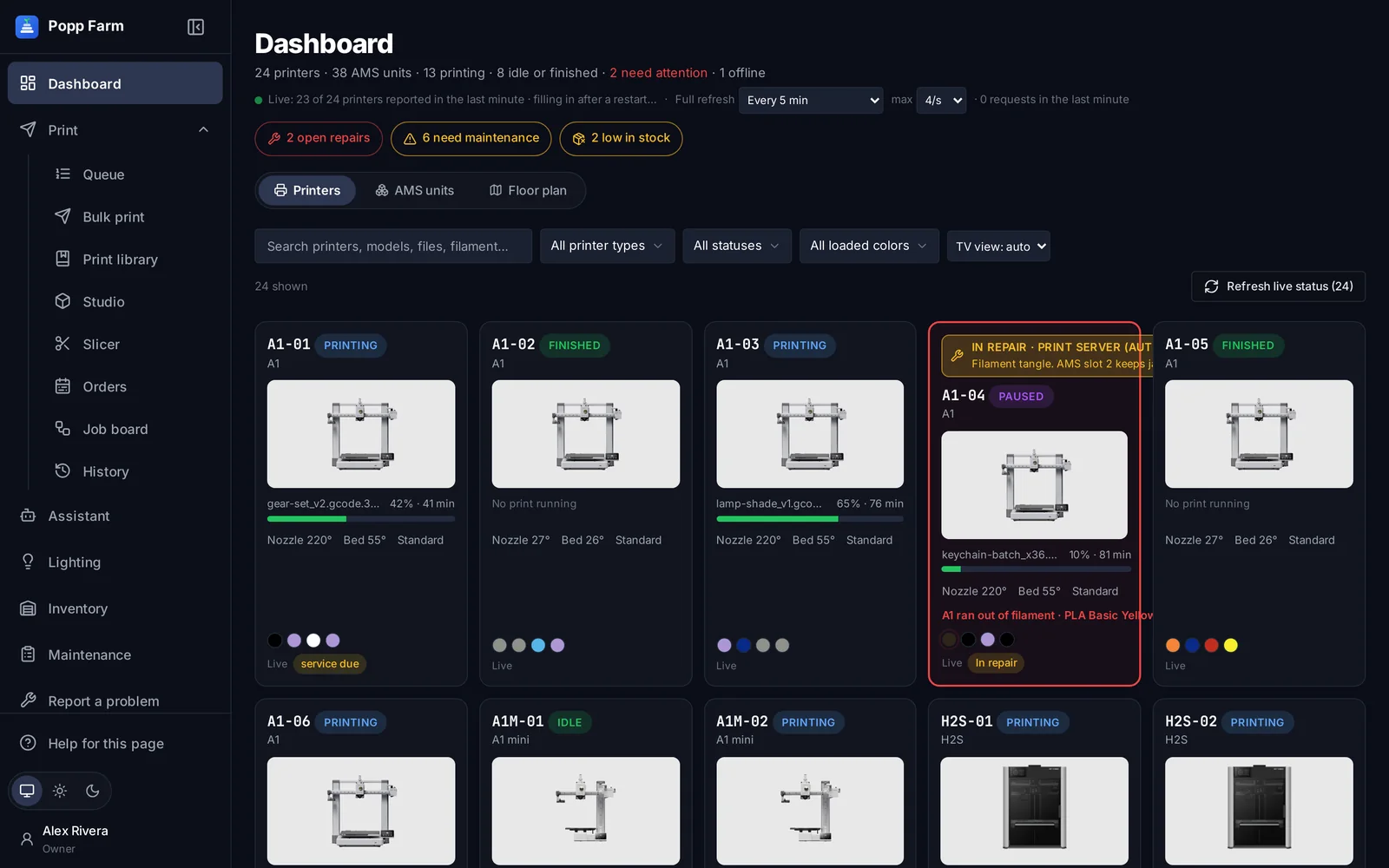
Every Bambu Lab printer you run, what it is printing, how long is left, which spools are loaded, and which printers need a person right now. Read from your Bambu Lab account, with nothing to install.
Problems surface first
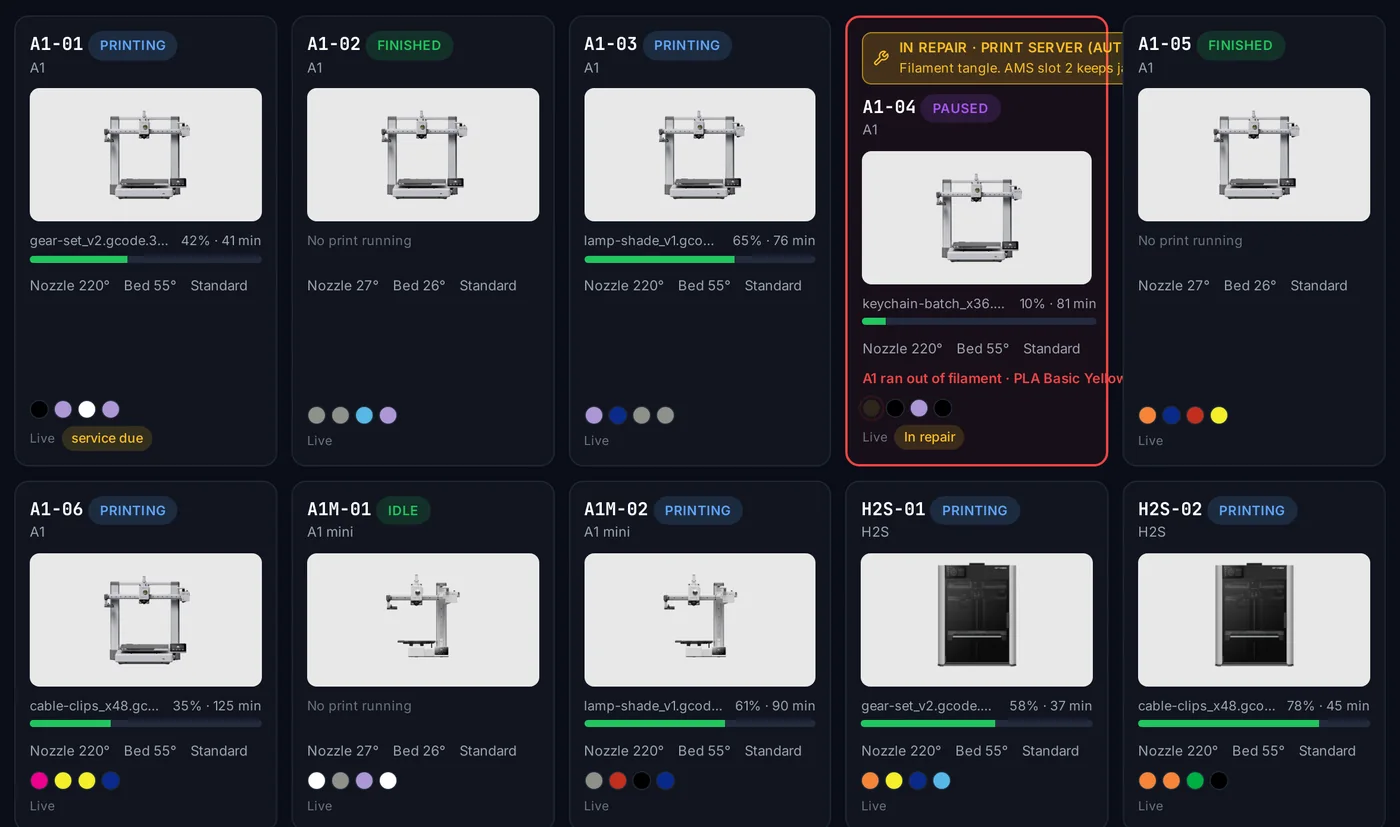
Run-outs, jams and errors turn red with the slot and the reason, so nobody has to walk the rows looking for them.
Know what is loaded
Every AMS slot with its filament, color and what is left, read from the printers themselves.
Made for the wall TV
TV view packs more cards in a row and keeps the screen awake, so the whole shop can see the floor.
How it works
Connect Bambu Lab
Sign in to your Bambu Lab account once. Printers, AMS units and firmware appear by themselves.
Watch the floor
Cards update as printers report. Filter by model, status or loaded color, or search for a file.
Act on what needs you
Open repairs, service due and low stock sit at the top. Tap a card to deal with it.
A card for every printer
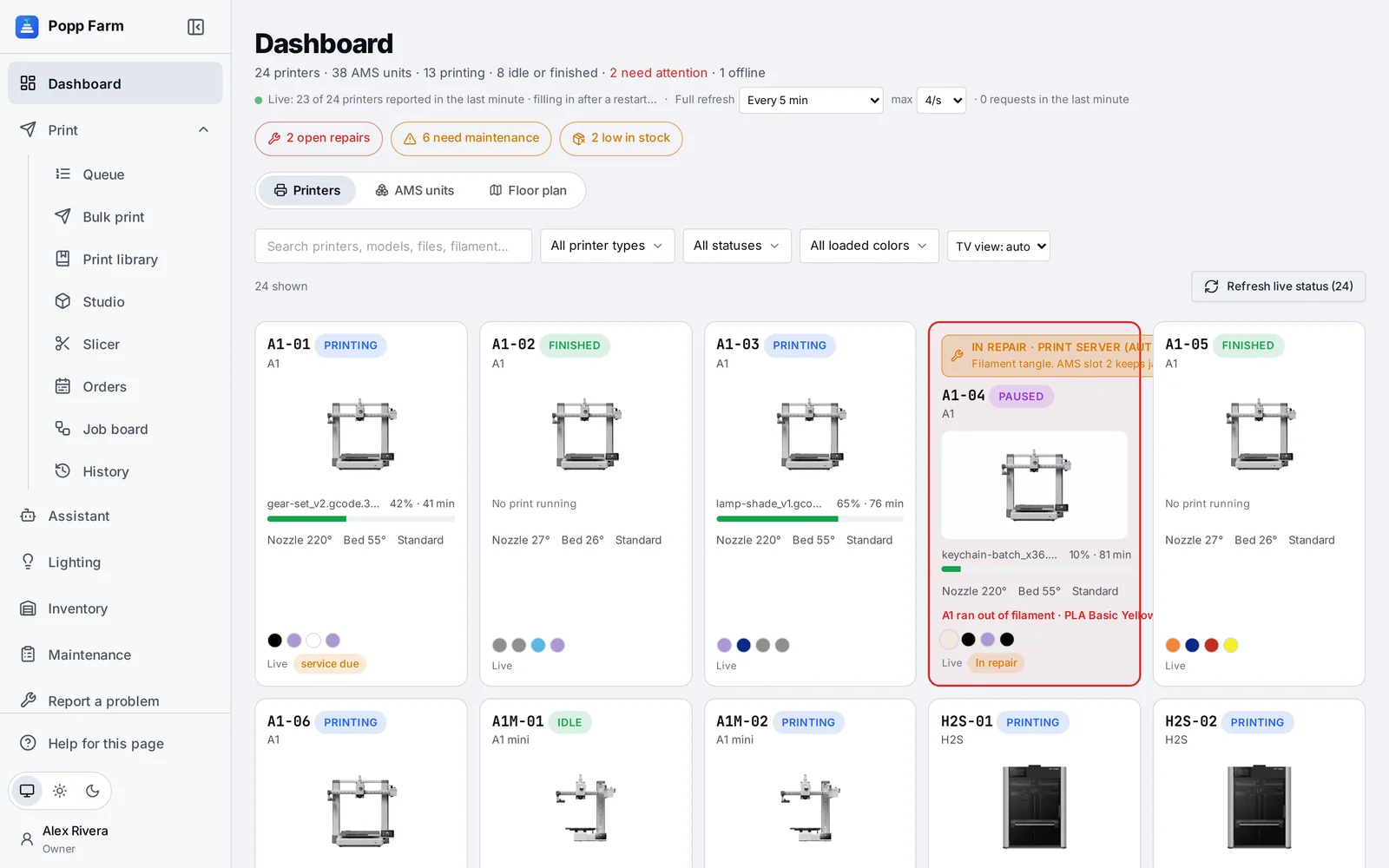
Printing, paused, finished, idle or offline: each card shows the file, progress, time left, nozzle and bed temperatures, and the colors in its AMS. A printer in repair or due for service carries a colored bar so nobody sends it work.
Cloud connection
Through your Bambu Lab account. No LAN mode, Developer Mode or open ports.
Filters and search
By model, status and loaded color, across printers, files and filament.
Printers, AMS or floor plan
Switch between printer cards, every AMS unit, or your shelves.
You set the refresh
Live reports while printing plus a full refresh on the schedule you choose.
Attention at the top
The header counts what needs a person: printers that need attention, open repairs, service due and stock running low. Each one opens the list behind it.
In your pocket on the floor
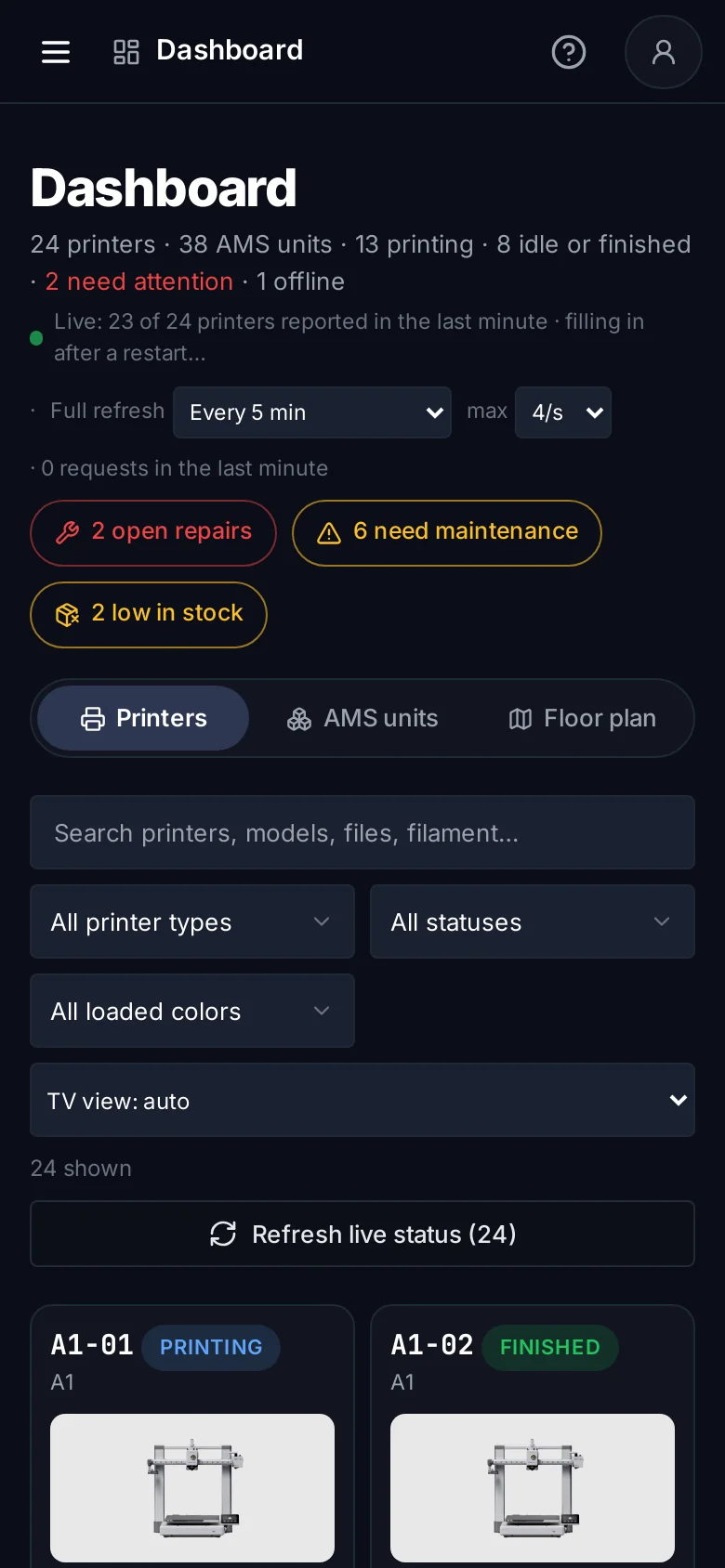
Every screen works on a phone and a tablet with no sideways scrolling. Stick a QR code on each printer and a scan opens its window.
What fleet dashboard can do
Live printer cards
File, progress, layer, time left, temperatures and AMS colors.
Attention bar
Errors, open repairs, service due and low stock counted at the top.
Filters and search
By model, status, loaded color, file or filament.
AMS view
Every AMS unit and slot across the fleet.
Floor plan view
Chosen sections shown shelf by shelf.
TV view
Compact cards and a screen that stays awake.
Light and dark themes
Pick one, or follow the device.
Repair and service bars
Printers in repair are flagged on their card.
No LAN setup
Runs through your Bambu Lab account.
Which printers are supported?
Bambu Lab printers on your Bambu Lab account: A1, A1 mini, A2L, P1P, P1S, P2S, X1, X1 Carbon, X1E, H2S, H2D, H2D Pro, H2C, H3C and X2D.
Do I need to open ports or use LAN mode?
No. Popp Farm reaches your printers through Bambu Lab’s cloud, the same way Bambu Studio does.
How fresh is the data?
Printers report continuously while they print, and the dashboard also refreshes every printer on a schedule you set.
Works well with
Put your whole farm on one screen
Start free with up to 3 printers, or try any paid plan free for 14 days. Connect your Bambu Lab account and your printers appear in minutes.
No install · No LAN setup · Nothing prints until a person says the plate is clear