
Every print, recorded, whatever sent it
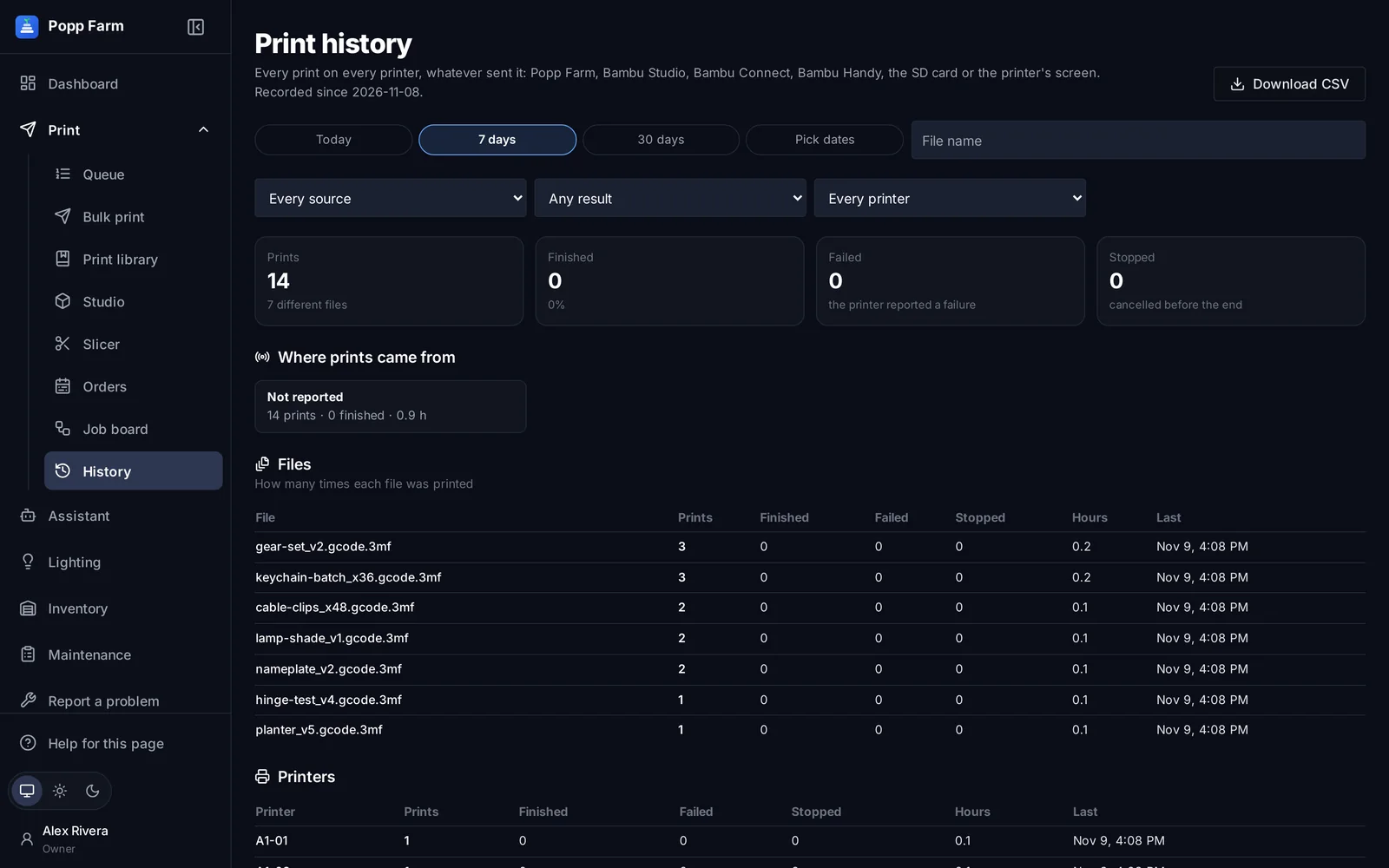
History records every print from the printers’ own reports, whether it came from Popp Farm, Bambu Studio, Bambu Handy, the printer’s screen or an SD card: file, printer, start, end and outcome.
Nothing slips through
Prints started anywhere are captured, so your records match the floor.
Find the failures
Filter by printer, file, source or outcome to spot what keeps failing.
Export
Download a CSV for your own reports.
By file and by printer
How many times each file was printed, finished, failed or stopped, and the hours each printer spent printing.
What print history can do
Every source
Popp Farm, Bambu Studio, Handy, SD card, the printer’s screen.
Outcomes
Finished, failed and stopped.
By file and printer
Counts and hours.
Date ranges
Today, 7 or 30 days, or pick dates.
CSV export
For your own reports.
Nightly backup
Kept with your workspace’s backups.
Works well with
Put your whole farm on one screen
Start free with up to 3 printers, or try any paid plan free for 14 days. Connect your Bambu Lab account and your printers appear in minutes.
No install · No LAN setup · Nothing prints until a person says the plate is clear