
From purchase order to shipped boxes
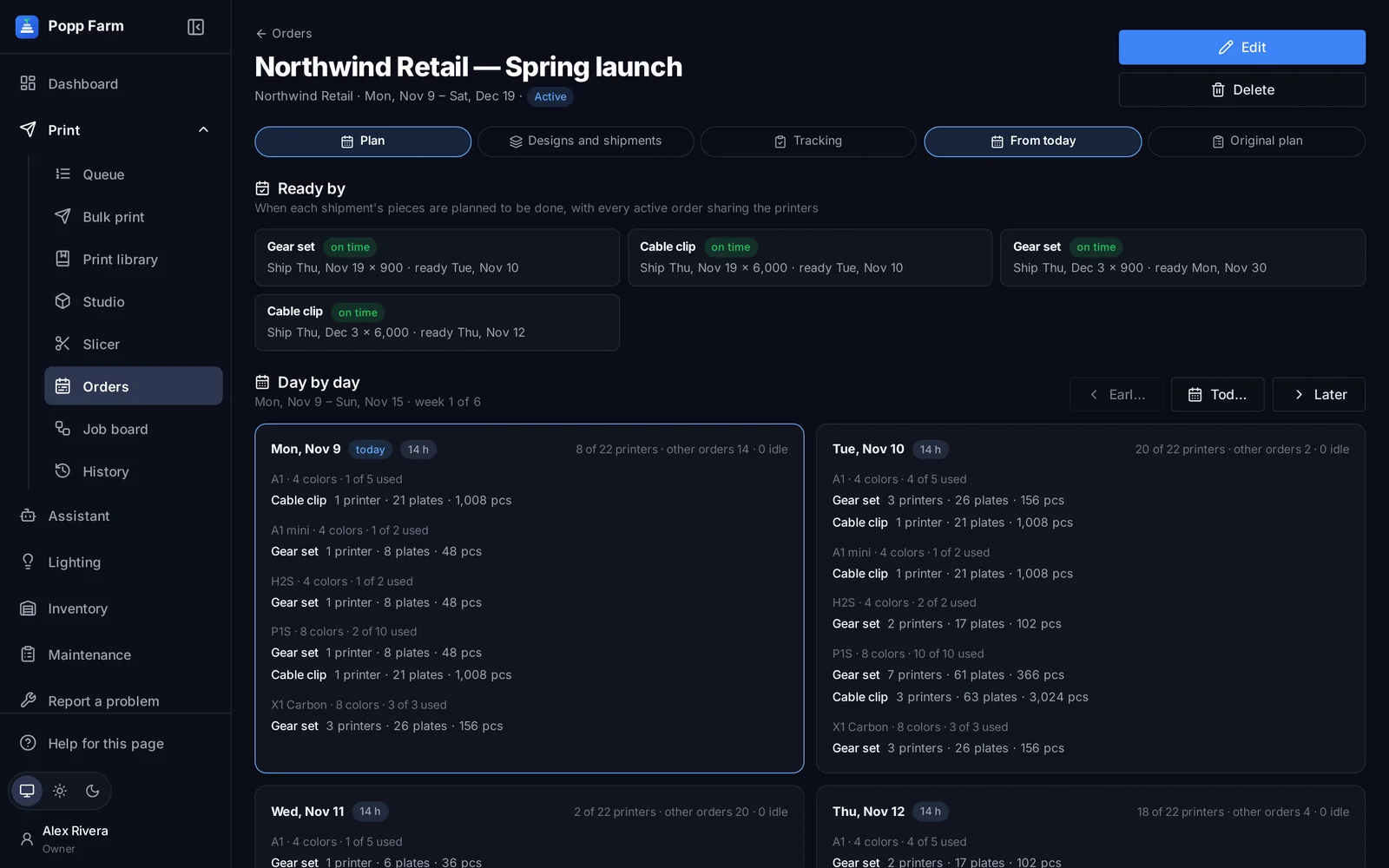
Enter an order’s designs and shipment dates. Popp Farm plans the work across your real printers, day by day, with every active order sharing the fleet, and shows when each shipment will be ready.
Plans from your real fleet
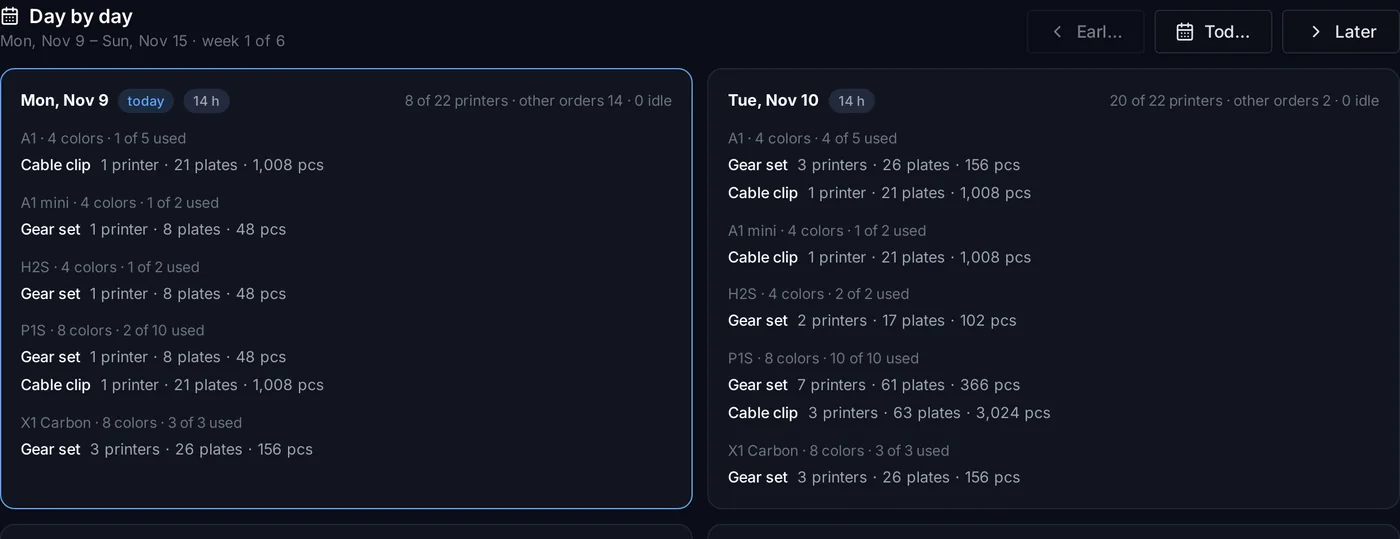
Printers are grouped by model and AMS colors; designs go where they fit, using every free printer.
Ready-by dates
Each shipment shows when it will be ready, and which ones are at risk, before it’s a problem.
Straight to the queue
Attach a print file and colors to a design and send the pieces left to the queue.
How it works
Enter the order
Designs with plate time, pieces per plate and quantity, plus shipments with dates.
Read the plan
Day by day: which printer groups, how many plates and pieces, and when each shipment is ready.
Produce and ship
Send designs to the queue, record production and mark shipments ready or shipped.
A plan that re-plans
The plan uses each design’s plate time and pieces per plate, your shop hours, plate change time and scrap allowance. As production is recorded it re-plans from today.

Track every order
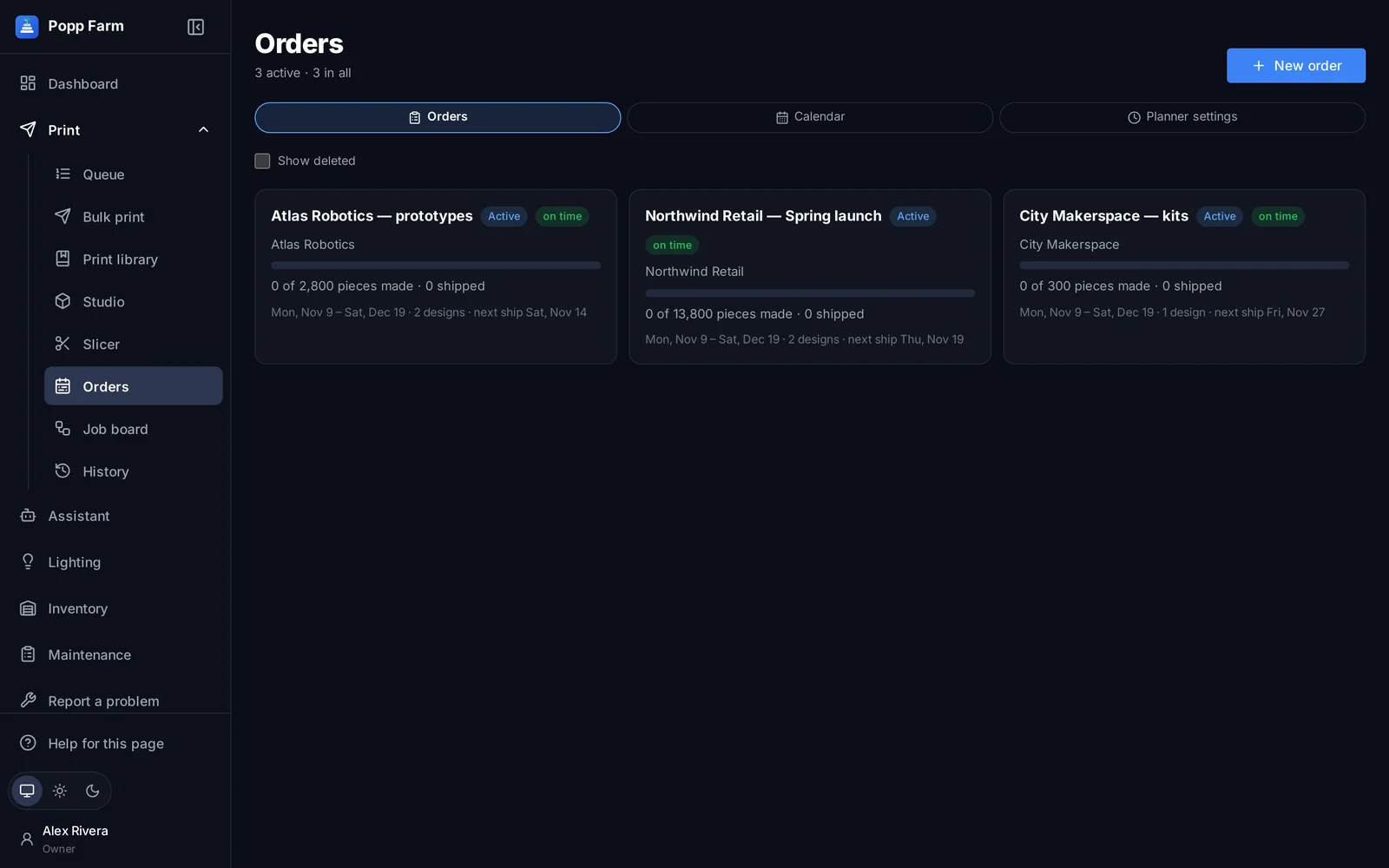
Pieces made, packed and shipped, the next ship date and a calendar of every shipment.
Calendar
Every ship date in one view.
Tracking
Made, packed and shipped per shipment.
Production on the floor plan
Assign printers to designs per day.
Slack updates
Shipment updates and a daily reminder.
What orders and planning can do
Designs and shipments
Quantities, plate times and dates.
Day-by-day plan
Across real printer groups and colors.
Shared fleet
Every active order planned together.
Ready-by and at-risk
For every shipment.
Send to queue
With the design’s file and colors.
Tracking and calendar
Made, packed, shipped.
Production view
Printers per design per day on the floor plan.
Slack
Shipment updates and a daily reminder.
OptionalIs the plan a guess?
It is calculated from each design’s plate time and pieces per plate, your shop hours, plate change time and scrap allowance, and it re-plans from today as production is recorded.
Works well with
Put your whole farm on one screen
Start free with up to 3 printers, or try any paid plan free for 14 days. Connect your Bambu Lab account and your printers appear in minutes.
No install · No LAN setup · Nothing prints until a person says the plate is clear