
A print queue that thinks in plates, pieces and due dates
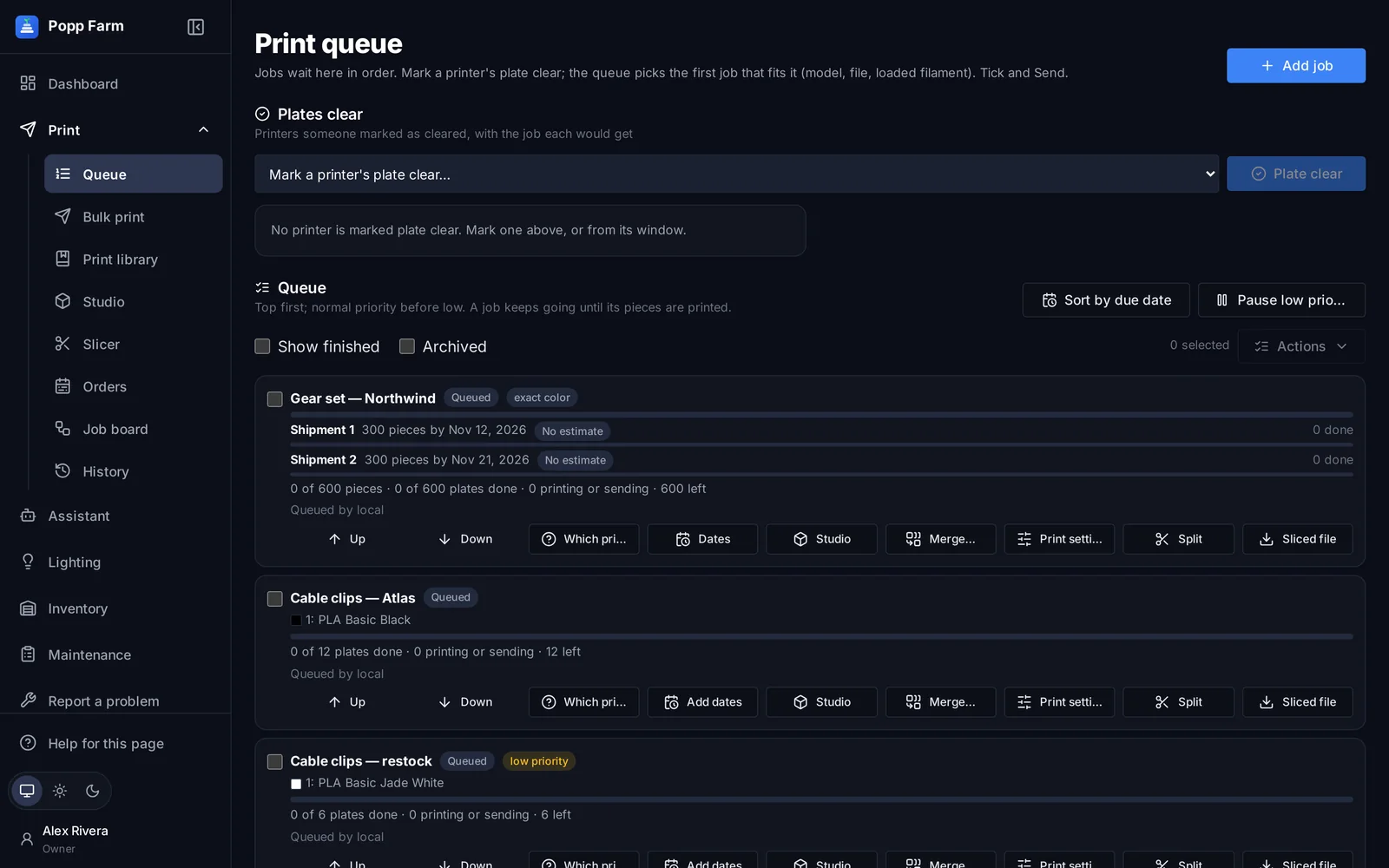
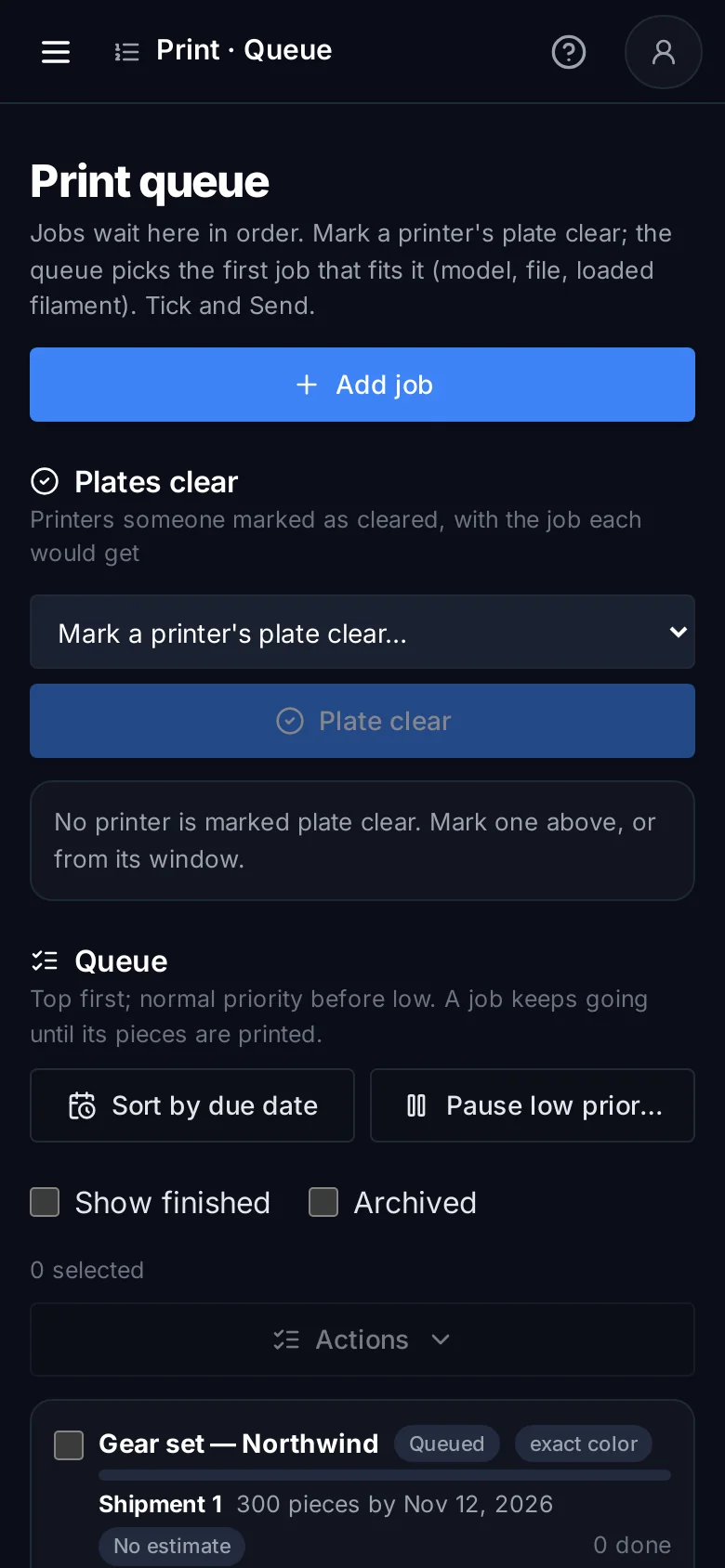
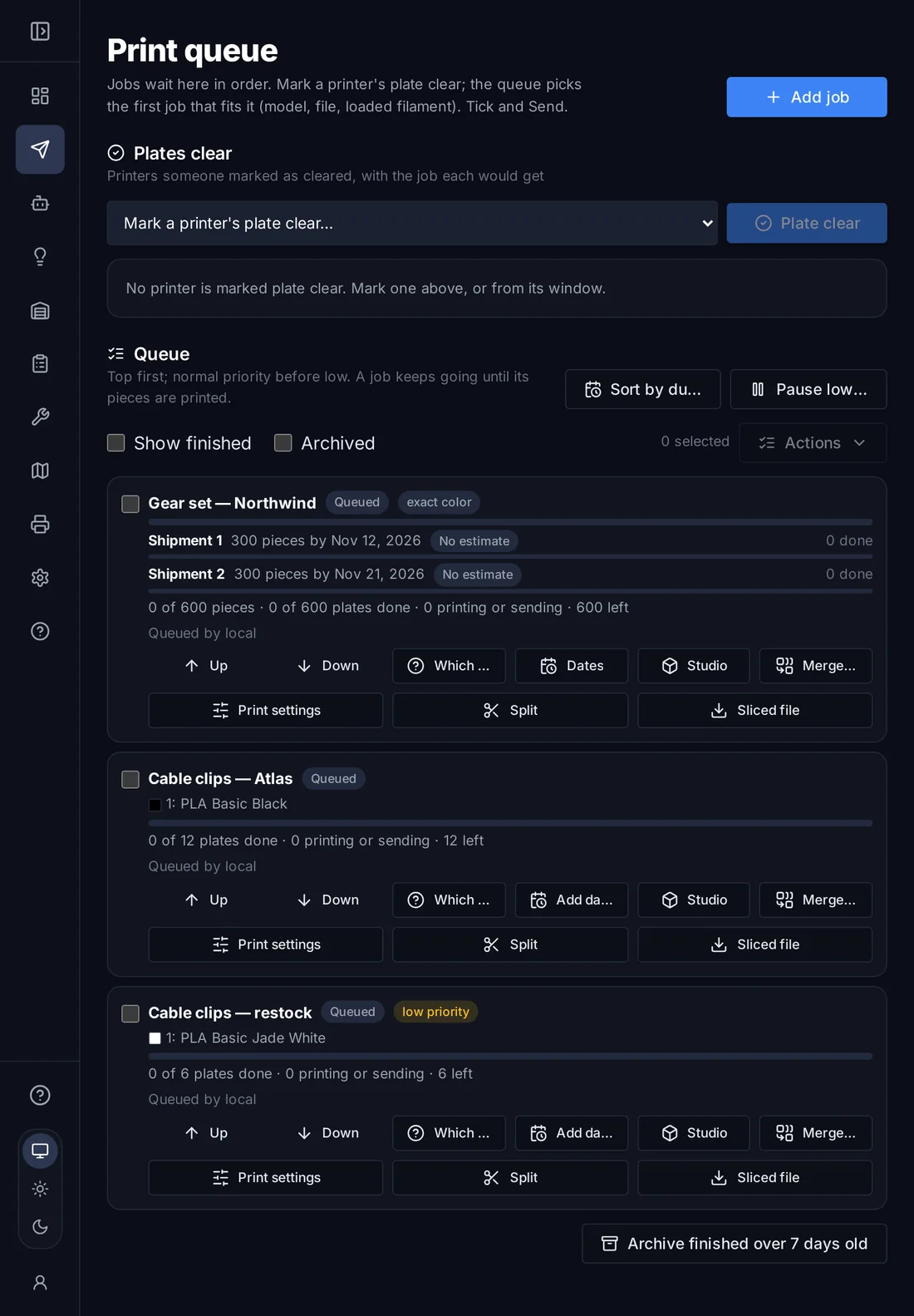
Add a job once, in pieces or plates, and the queue matches each plate to a printer with the right model and colors loaded. A person confirms the plate is clear and taps Send. Nothing prints by itself.
Right job, right printer
Only printers with the job’s filament and exact colors loaded are offered, with the AMS slot for each color.
Due dates you can trust
Split a job into shipments with dates. Each one shows On track, At risk or Late from real plate times.
Safe by design
A person marks the plate clear before anything is sent, and every plate is followed through to finished.
How it works
Add a job
From the library, an order design or Studio. Choose pieces or plates, colors from inventory and print settings.
Mark a plate clear
When a plate comes off, mark the printer clear on the queue, in its window or from a QR scan.
Send
The queue shows the job that printer would get, or why nothing fits. Tap Send.
Jobs in pieces, plates and phases
A job for 600 pieces becomes plates; each plate can go to a different printer and the job counts what is left. Give it shipments with dates and the queue tracks each one.
Priority
Up, down, top or bottom; pause low-priority work.
Printer tags
Keep jobs on “PETG only” or a room’s printers.
Split and merge
Split a job, or merge compatible plates.
Any color of a material
Sliced per printer with the spools it has loaded.

Suggestions, not surprises
Smart Queue points out late and at-risk jobs, jobs no printer can take, and a more urgent job that would also fit a ready printer. Use the suggestion or keep the queue’s pick. Nothing reorders by itself.
Sliced for whichever printer takes it
A job saved for one model is sliced for the model that takes it, keeping the file’s own changed settings and the colors you chose. A file saved for the same model keeps every setting.
What smart print queue can do
Plate clear, then Send
A person confirms every plate before it is sent.
Exact color matching
Same Bambu filament code and color, slot by slot.
Which printers can take it
See every printer that fits a job, and why others don’t.
Pieces and plates
Plates are counted against the pieces you need.
Shipments with dates
Done, On track, At risk or Late for each one.
Suggestions
Use suggested, or Sort by due date when you ask.
Priority and tags
Low priority pause, printer tags and model limits.
Split, merge, archive
Reshape jobs as plans change.
Send next job
Right from a printer’s window.
Does the queue send prints automatically?
No. A person confirms the plate is clear and taps Send. The queue prepares and suggests.
Can one job run on many printers?
Yes. A job in pieces becomes plates; every plate can go to a different printer and the job tracks what is left.
Works well with
Put your whole farm on one screen
Start free with up to 3 printers, or try any paid plan free for 14 days. Connect your Bambu Lab account and your printers appear in minutes.
No install · No LAN setup · Nothing prints until a person says the plate is clear